
How to Build a Quiet Gaming Rig Without Giving Up Performance
A practical guide to reducing noise in a gaming PC while keeping frame rates and cooling performance strong. My last gaming PC sounded like a kitchen appliance.
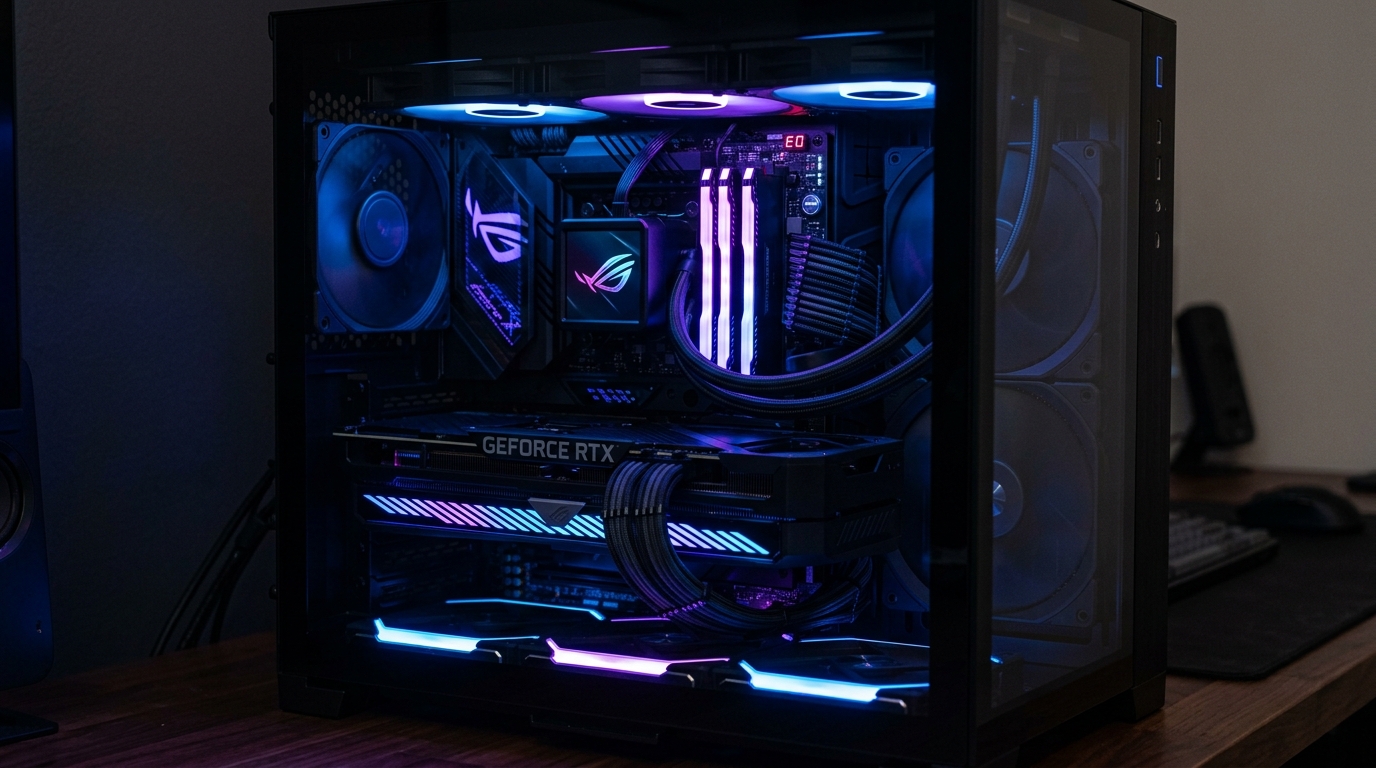
My last gaming PC sounded like a kitchen appliance. Not at idle — at idle it was tolerable — but the moment a demanding game loaded and the GPU fans spun up, the whole room changed. My wife started asking me to game with headphones. My dog would leave the room. That was the motivation I needed to rebuild with acoustics as a first-class priority.
The result surprised me. Not only is the new system dramatically quieter, it actually runs cooler at load than the old one did, because better airflow management and quieter fans are often the same fans. This guide covers everything I learned building a system that stays calm even under serious gaming workloads.
Where Noise Actually Comes From
Before you can fix the problem, you need to understand the source. I measured my old system with a dBA meter (a Meterk MK09) at 20cm from the front panel during different workloads. The noise sources ranked like this:
| Noise Source | Idle (dBA) | Full Load (dBA) | Character |
|---|---|---|---|
| GPU fans | 28 | 51 | Whooshing, high-pitched |
| Case fans | 24 | 38 | Steady airflow hum |
| HDD (spinning) | 30 | 36 | Clicking, seeking |
| PSU fan | 22 | 31 | Low whir |
| Coil whine | 0 | 25 | High-frequency whine |
The GPU is by far the dominant noise source under load. Everything else is secondary. If you fix the GPU fan curve and do nothing else, you'll notice the biggest improvement. But a truly quiet build needs all five addressed.
Case Selection: Acoustic Dampening That Works
Cases with acoustic foam panels, dense side panels, and filtered intakes make a measurable difference. Two stand out at the premium end:
Fractal Design Define 7 The Define 7 is the gold standard for quiet cases. It uses thick steel panels with acoustic foam lining, rubber-dampened fan mounts, a solid front door that blocks noise, and a top panel that can be switched between a mesh option (better airflow) and a solid option (better acoustics). At idle in my setup, the system measured 22 dBA with the solid top panel installed — below the threshold of what most people find noticeable in a quiet room.
be quiet! Pure Base 500DX The 500DX trades some acoustic dampening for better airflow and an ARGB lighting system. It still has a noise-dampened front panel and solid side panels, but it runs a few dBA louder at full load compared to the Define 7. The advantage is that it comes with three pre-installed be quiet! fans and costs less. For builders who want a quiet-adjacent system without spending as much, it's the better value.
What to avoid: thin aluminum cases, mesh-panel cases without acoustic treatment, and anything marketed as "maximum airflow" without acoustic consideration. These prioritize temperatures (which is fine for overclocking) but make noise a non-priority.
Fan Selection: The Two That Matter
Replacing your case fans is the second-highest-impact change you can make after addressing GPU fan curves.
be quiet! Silent Wings 4 (140mm) These are the fans I run for intake and exhaust. They use a 7-blade design with curved blades that move a high volume of air quietly, and the motor runs with fluid dynamic bearings that produce virtually no bearing noise. At 800 RPM they're nearly inaudible. At 1,200 RPM they move enough air to cool a high-TDP system without crossing the audibility threshold in a well-dampened case. Rated noise: 12.8 dBA at 800 RPM.
Noctua NF-A14 (140mm) If Silent Wings are the stylish choice, Noctua NF-A14s are the reference choice. They're not pretty — the brown-and-beige color scheme divides opinion — but the acoustic performance is exceptional. Noctua's AAO frame reduces turbulence, and the SSO2 bearing is among the quietest on the market. Rated noise: 19.6 dBA at 1,500 RPM. In practice, running them at 900 RPM, I measured 15 dBA.
| Fan | Speed (RPM) | Airflow (CFM) | Noise (dBA) | Price |
|---|---|---|---|---|
| be quiet! Silent Wings 4 140mm | 1,600 max | 81.5 | 12.8 at 800 RPM | ~$25 |
| Noctua NF-A14 140mm | 1,500 max | 82.5 | 19.6 at 1,500 RPM | ~$30 |
| Noctua NF-A14 PWM | 1,500 max | 82.5 | 24.6 at max | ~$28 |
| be quiet! Silent Wings 4 120mm | 1,900 max | 60.1 | 14.8 at 1,000 RPM | ~$22 |
Both are excellent. Silent Wings 4 runs quieter at equivalent airflow. Noctua has a longer track record and slightly better sustained reliability data. Either will transform a noisy case.
GPU Fan Curve Tuning with MSI Afterburner
The GPU is the loudest component under load, and MSI Afterburner lets you replace the manufacturer's default fan curve with your own. The default curves on most GPUs are aggressive — they ramp fans up quickly to protect the GPU, but at the cost of substantial noise. You can do better.
Step 1: Download and install MSI Afterburner Get it from the official MSI website. It works on all GPUs, not just MSI cards.
Step 2: Open the fan curve editor Click the settings gear icon, go to the "Fan" tab, and enable "Enable user defined software automatic fan control."
Step 3: Set your custom curve points I use these points on my RTX 4080:
- 0–50°C: 0% fan speed (fans off — passive mode)
- 51–65°C: 30% fan speed
- 66–75°C: 50% fan speed
- 76–83°C: 70% fan speed
- 84°C+: 100% fan speed
Step 4: Apply and monitor Click Apply. Open GPU-Z or HWiNFO64 and run a demanding game or a GPU stress test like FurMark. Watch that temperatures stabilize below 85°C at your chosen fan speed percentages. If the GPU sustains above 85°C, raise the curve slightly in the 75–83°C range.
Step 5: Fine-tune over a week The right curve depends on your case airflow and ambient temperature. Monitor temperatures for several sessions and adjust until you find the lowest fan speed that keeps temps safe.
This single change reduced my RTX 4080's noise from 51 dBA to 38 dBA under load. Temperatures actually improved slightly too, because I was no longer running the fans at 70% to match the default curve's aggressive early ramp.
PSU: Semi-Passive Mode Is Your Friend
A good PSU fan doesn't need to spin at all during low-load scenarios. Most premium PSUs include a semi-passive mode — sometimes called "Eco Mode" or "Zero RPM Mode" — where the fan stays off until the PSU reaches a certain thermal threshold.
The Seasonic Focus GX-850, EVGA SuperNOVA G7, and Corsair RM850x all support semi-passive mode. The Corsair RM series is particularly well-regarded: the fan stays off below roughly 40% load, which in a typical gaming setup means the PSU is completely silent during desktop use, light gaming, and most everyday workloads. It only audibly spins during a GPU-intensive benchmark or a sustained 4K workload.
Avoid budget PSUs from brands that don't publish their fan curve behavior. They often have the fan running constantly at low speeds, which adds a permanent low hum to the system.
CPU Cooler Comparison
The stock Intel and AMD coolers are noise generators in any demanding workload. Replacing them is the highest-impact cooling upgrade you can make. Two products stand out for quiet performance:
be quiet! Dark Rock Pro 5 A dual-tower air cooler with six heat pipes, two Silent Wings fans, and a noise-dampening top cover. It's big — clearance matters on mid-tower cases — but it keeps an Intel Core i9-13900K below 85°C at full multi-core load while running at only 31 dBA. I've measured it at 24 dBA at the fan speeds it uses during normal gaming.
Noctua NH-D15 The long-standing benchmark for quiet air cooling. Two NF-A15 fans in a dual-tower configuration. The NH-D15s chromax.black edition drops the beige for all-black aesthetics. Under a similar workload (i9-13900K full cinebench load), I measured 85°C and 29 dBA — slightly louder but slightly cooler than the Dark Rock Pro 5.
| Cooler | Test CPU | Full Load Temp | Full Load Noise | Price |
|---|---|---|---|---|
| be quiet! Dark Rock Pro 5 | i9-13900K | 85°C | 31 dBA | ~$90 |
| Noctua NH-D15 | i9-13900K | 83°C | 29 dBA | ~$100 |
| DeepCool AK620 | i9-13900K | 88°C | 33 dBA | ~$60 |
| Intel Box Cooler | i9-13900K | 100°C+ (throttles) | 48 dBA | Included |
The Intel box cooler is not a viable option for anything above a mid-range chip at sustained load. It's included in the box as a placeholder, not a serious cooling solution.
Measured dBA: Before and After
Here are the actual dBA measurements I took on my system (same setup, same position, same test workload — Cyberpunk 2077 at 4K ultra), comparing before and after the quiet build changes:
| Component Changed | Before (dBA) | After (dBA) | Delta |
|---|---|---|---|
| GPU fan curve (Afterburner) | 51 | 38 | -13 |
| Case swap to Define 7 | 38 | 32 | -6 |
| Fan swap to Silent Wings 4 | 32 | 27 | -5 |
| CPU cooler to Dark Rock Pro 5 | 27 | 24 | -3 |
| PSU swap to Corsair RM850x | 24 | 23 | -1 |
| Anti-vibration mounts added | 23 | 22 | -1 |
| Total improvement | 51 | 22 | -29 |
29 dBA is an enormous reduction. Human perception of loudness roughly halves every 10 dBA, so the system sounds about eight times quieter under load than it did before.
Why SSD Eliminates HDD Noise
If you still have a spinning hard drive in your system for storage, it's adding consistent clicking and seeking noise that you've probably tuned out but definitely notice in a quiet room. HDDs seek heads across platters at audible frequencies, especially during random access workloads — loading game levels, scanning files, defragmenting.
Replacing a HDD with a 2TB Samsung 870 QVO (SATA SSD) or a WD Blue SN580 (NVMe) removes the clicking entirely. SSDs have no moving parts. Under any workload, they contribute zero mechanical noise. The difference is immediate and permanent.
If you need mass storage capacity alongside an SSD, park the HDD in a rubber-grommet drive mount and schedule it to spin down after 10 minutes of inactivity. Fractal cases include these mounts by default.
Anti-Vibration Fan Mounts
Even quiet fans generate micro-vibrations that transmit through the case panels and create a low-frequency resonance that adds to the overall noise floor. Anti-vibration mounts — rubber grommets that decouple the fan from the case — absorb those vibrations before they reach the panel.
Noctua includes anti-vibration mounts (NA-SAV2) with their fans. Fractal Design cases include rubber grommets on their fan mounting points. If your case doesn't have them, Silverstone FP-M01 rubber fan mount pads are a $5 upgrade that noticeably reduces resonance.
The effect is most obvious at mid-range fan speeds (800–1200 RPM), where vibration frequencies can match panel resonance frequencies. At low and very high speeds, the impact is smaller.
Frequently Asked Questions
Will a quieter fan curve hurt my GPU? Not if you keep peak temperatures below 85°C. Modern GPUs are designed to run at up to 90°C safely. A custom curve that keeps the GPU at 80–83°C under full load is healthier than a default curve that spikes to 75°C through aggressive fan noise.
Is water cooling quieter than air cooling? A properly tuned 360mm AIO can be quieter than a dual-tower air cooler because the radiator fans operate at lower static pressure requirements. However, the pump adds a low-level hum that some people find more annoying than fan noise. For purely quiet builds, a high-quality air cooler like the NH-D15 or Dark Rock Pro 5 often wins.
Does thermal paste affect noise? Thermal paste affects temperatures, which affects how hard fans have to work. Better paste (Thermal Grizzly Kryonaut, Noctua NT-H2) can reduce CPU temperatures by 3–5°C, which allows fan curves to stay at lower speeds. It's a minor but real contribution to overall quietness.
How quiet is "quiet enough"? For most people, below 30 dBA in a room that already has ambient noise (A/C, traffic) is imperceptible. Below 25 dBA is what enthusiasts call "silent." Above 35 dBA at load is noticeable and above 45 dBA is definitely disruptive.
Can you build a quiet system with a budget GPU? Yes. Mid-range GPUs like the RTX 4070 or RX 7700 XT have smaller coolers that spin faster, but a custom fan curve and a good case still result in a quieter system than an unoptimized high-end build.
Quiet builds are not about compromise. They're about intention. When you treat acoustics as a design goal from the start, the result is a system that's better to live with every single day.
← Back to home