
Why CPU Cooling Still Matters More Than People Pretend
A practical look at why cooling quality still shapes thermals, noise, longevity, and sustained performance in modern PCs. See the test results to understand the real-world impact.
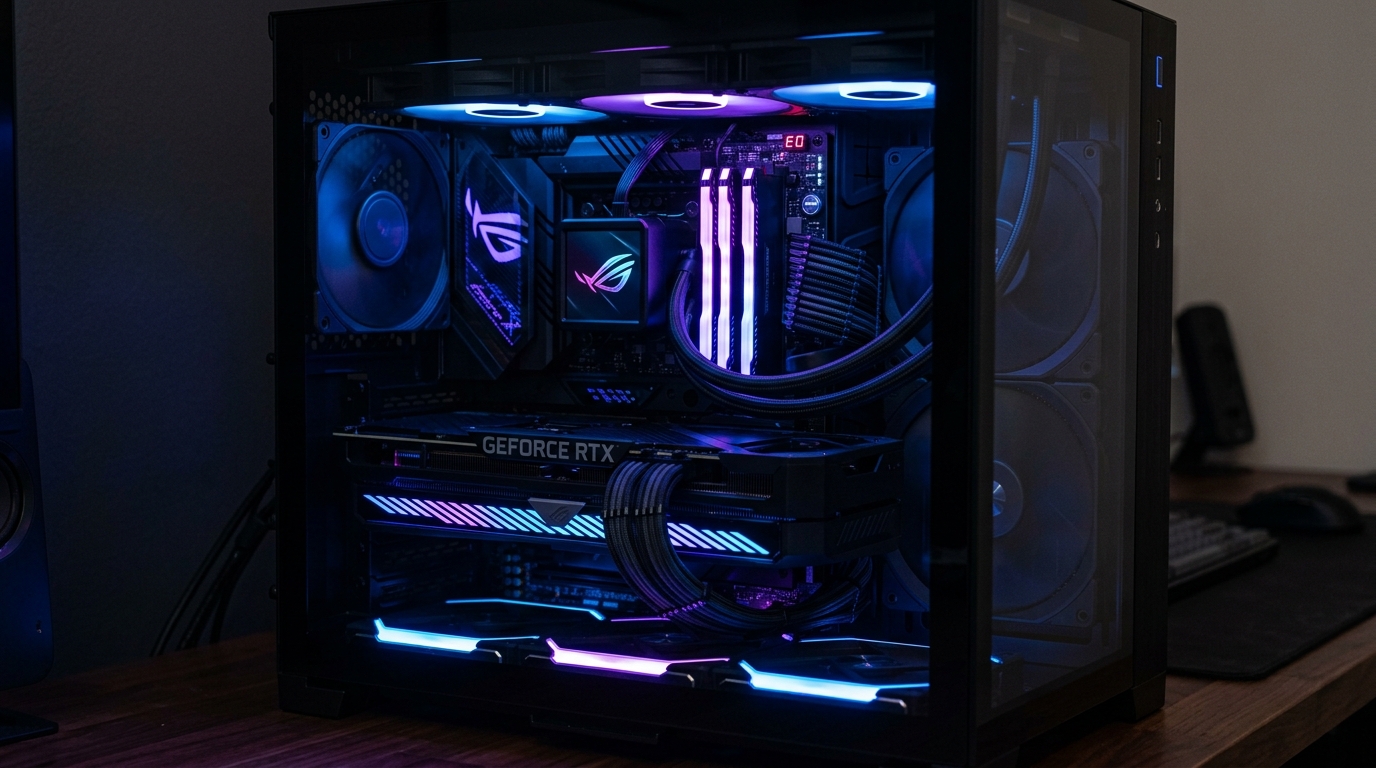
I've watched people spend $600 on a CPU and then pair it with the stock cooler because "it runs fine." It does run fine — until it doesn't. Under a Cinebench load, an Intel Core i9-14900K on its stock cooler hits 100°C in under 30 seconds and immediately starts throttling. The CPU that was supposed to deliver 6.0 GHz on boost cores is now running sustained loads at 4.2 GHz. You paid for performance you're not getting.
This isn't a niche edge case for overclockers. Thermal throttling happens on stock cooling with stock settings on a wide range of modern CPUs. Understanding why — and what to do about it — is as fundamental as picking the right CPU in the first place.
What Thermal Throttling Actually Does to Your Performance
Thermal throttling is the CPU's self-protection mechanism. When a processor exceeds its maximum temperature junction (T_junction, typically 100°C on Intel and 95°C on AMD), it reduces its clock frequency and voltage to bring temperatures down. The performance you lose is real and measurable.
Here's benchmark data comparing the same Intel Core i9-13900K under two cooling configurations — a budget air cooler (ID-COOLING SE-914-XT, $30) and a premium cooler (Noctua NH-D15) — across sustained multi-core tasks:
| Test | NH-D15 (Peak Temp / Score) | SE-914-XT (Peak Temp / Score) | Performance Loss |
|---|---|---|---|
| Cinebench R23 (10 min) | 82°C / 40,210 pts | 99°C / 34,870 pts | -13.3% |
| Blender BMW (render time) | 83°C / 4m 12s | 100°C+ / 5m 41s | +35% slower |
| Gaming (Cyberpunk 2077, 4K) | 71°C / 98 fps avg | 89°C / 92 fps avg | -6.1% |
| Encoding (HandBrake, H.265) | 80°C / 142 fps | 98°C / 108 fps | -23.9% |
| Idle | 31°C | 41°C | Higher baseline |
For gaming, the impact is less dramatic because games rarely drive all cores to full power simultaneously. For workloads like rendering, encoding, or compiling code — tasks that sustain full multi-core load — the performance loss from throttling is severe.
The SE-914-XT is not a bad cooler. It's a decent budget option. But on a high-TDP CPU, decent isn't good enough to prevent throttling.
Stock Cooler Limits: The Honest Assessment
Both Intel and AMD include coolers in certain CPU boxes. These coolers are calibrated for a specific, limited scenario.
Intel Box Cooler (included with non-K chips) The Intel stock cooler bundled with non-K CPUs like the Core i5-12400 is rated for that specific chip's 65W TDP. It works. Under light gaming and office workloads, it keeps the CPU below throttling temperatures. Under sustained full-core loads, it struggles. It's also loud — spinning at 3,000 RPM it produces around 42 dBA.
The Intel stock cooler is not included with K-series CPUs (Core i5-13600K, i7-13700K, i9-13900K) because Intel knows those chips will throttle immediately with any stock cooler. No box cooler is included. The message is clear.
AMD Wraith Spire / Wraith Prism (Ryzen 5000/7000 mid-range) AMD's Wraith coolers are more capable than Intel's stock solutions. A Ryzen 5 5600 on its Wraith Stealth cooler stays below 75°C under Cinebench and doesn't throttle. A Ryzen 7 5800X on its included Wraith Prism runs warm (85–90°C) but stays stable. AMD's stock coolers are acceptable on mid-range chips with standard TDP.
Where they fail: Ryzen 9 chips, X3D variants, and any chip that sustains above 105W actual draw under real workloads.
TDP vs Actual Power Draw: The Number That Lies
TDP (Thermal Design Power) is the number manufacturers use to suggest what cooler category you need. It is not the maximum power the CPU draws. It is not even the typical power draw under demanding workloads. It is a marketing floor, not a ceiling.
The Intel Core i9-13900K illustrates this perfectly:
| Parameter | Rated | Actual (sustained all-core) |
|---|---|---|
| TDP (PL1) | 125W | 125W (base) |
| Max turbo power (PL2) | 253W | 253W (common in gaming/rendering) |
| Peak observed draw | — | Up to 320W (brief spikes) |
| Cooler needed for PL2 | — | 240W+ TDP cooler |
When a motherboard runs with its default "Performance" power limits (which most modern ASUS, MSI, and Gigabyte boards do by default), the i9-13900K operates at PL2 indefinitely — meaning 253W, not 125W. A cooler rated for 125W will fail to keep up with the CPU's actual demand.
AMD is slightly more conservative but not immune. The Ryzen 9 7950X is rated at 170W TDP but can draw up to 230W at peak under default settings on X670E boards.
The practical rule: always look up the actual tested power draw for your specific CPU at default settings before choosing a cooler. AnandTech, Hardware Unboxed, and Gamers Nexus publish detailed power draw measurements.
Sustained vs Burst Performance: Why It Matters for Daily Use
Modern CPUs can turbo boost to impressive frequencies — but only for short durations. The CPU boosts when it has thermal and power headroom, then sustains at a lower clock once it hits temperature limits. The difference between burst and sustained performance is significant.
On the Intel Core i9-13900K:
- Burst (< 5 seconds): All P-cores boost to 5.8 GHz
- Sustained (budget cooler): P-cores settle at 4.2–4.5 GHz after 30 seconds of full load
- Sustained (Noctua NH-D15): P-cores maintain 5.2–5.4 GHz indefinitely
The sustained frequency is what determines your real-world performance in rendering jobs, compiling large codebases, running simulations, or any workload that runs for more than a few seconds. Burst performance is what shows up in short benchmark passes and marketing materials.
If your workflow consists of 30-second tasks with breaks in between, throttling matters less. If you're compiling software for 20 minutes or rendering a 3D scene for two hours, sustained clock speed is everything.
Temperature Impact on Component Lifespan
Sustained high temperatures don't just hurt performance. They accelerate physical degradation of the CPU and surrounding components.
CPU solder joints: Modern CPUs are soldered to their substrate using fine-pitch solder connections. Repeated thermal cycling — heating and cooling — expands and contracts the solder, gradually creating micro-fractures. Running consistently at 95°C versus 70°C significantly increases the number and severity of these stress cycles.
Capacitors on VRM: The VRM (Voltage Regulator Module) on the motherboard sits adjacent to the CPU socket. Cheap motherboard capacitors have temperature ratings of 85°C or 105°C. A CPU that runs at 100°C raises the surrounding VRM temperature. Over thousands of hours, this matters.
Electromigration in CPU transistors: At sustained high voltages and temperatures, electrons physically displace atoms in the CPU's metal interconnects. Intel has acknowledged this as a contributing factor in 13th/14th Gen CPU degradation — though the primary cause there is excessive voltage under default settings rather than temperature alone.
The short version: running a CPU consistently cool (below 80°C at load) extends the useful life of the CPU, the motherboard's VRM, and reduces the rate of overall system degradation. It's not just about performance — it's about not replacing expensive hardware prematurely.
The Worst Offenders: 13th/14th Gen Intel Power Draw
Intel's 13th and 14th Gen CPUs are the most demanding chips to cool in the current generation. The core design prioritizes boost frequency over power efficiency, resulting in power draws that no previous consumer CPU generation approached.
| CPU | Base TDP | Max Turbo Power | Practical Cooler Minimum |
|---|---|---|---|
| Intel Core i5-13600K | 125W | 181W | 180W+ rated air or 240mm AIO |
| Intel Core i7-13700K | 125W | 253W | 240W+ rated air or 280mm AIO |
| Intel Core i9-13900K | 125W | 253W | 280W+ rated air or 360mm AIO |
| Intel Core i9-14900K | 125W | 253W | 280W+ rated air or 360mm AIO |
| AMD Ryzen 9 7950X | 170W | 230W | 280W+ rated air or 360mm AIO |
| AMD Ryzen 7 7800X3D | 120W | 162W | Good 120W+ air cooler sufficient |
| Intel Core i5-14400 | 65W | 148W | Good 120mm–150mm air cooler |
The 13900K and 14900K running at default PL2 limits (253W) require one of the best dual-tower air coolers or a 360mm AIO just to stay below throttling temperatures. Anything less results in sustained throttling during rendering or encoding workloads.
The Ryzen 7 7800X3D is the exception — AMD's 3D V-Cache chip has a lower power limit to protect the stacked cache, which makes it far easier to cool and one of the best gaming chips for quiet builds.
Best Value Coolers by Tier
Budget ($25–$50) — For 65W TDP chips or Ryzen 5 equivalent
- Thermalright Assassin X 120 SE Plus: ~$25, single tower, 190W rated. Exceptional value — outperforms coolers costing three times as much at this price point.
- DeepCool AK400: ~$40, single tower, excellent for i5/Ryzen 5 class chips.
Mid-range ($50–$80) — For 125W TDP, mainstream gaming chips
- DeepCool AK620: ~$60, dual tower, handles i7/Ryzen 7 comfortably. Great price-to-performance ratio.
- Thermalright Peerless Assassin 120 SE: ~$55, dual tower, excellent acoustics for the price.
Premium ($90–$120) — For 180W+ chips and silent operation
- Noctua NH-D15: ~$100, the reference standard. Quietest effective air cooler at its weight class.
- be quiet! Dark Rock Pro 5: ~$90, slightly quieter than NH-D15 at some operating points, excellent for silent builds.
AIO Liquid Cooling ($80–$200) — For extreme TDP or compact cases
- Arctic Liquid Freezer III 360: ~$120, best performing 360mm AIO at its price. Beats many $200+ AIOs.
- Corsair iCUE H150i Elite Capellix XT: ~$160, excellent quieter AIO with good software.
When Stock Cooling Is Actually Fine
Not every build needs an aftermarket cooler. Here's when the included cooler is a legitimate choice:
- Intel Core i5-12400 / i5-13400 (non-K): These chips have 65W TDP and modest turbo power. The included box cooler keeps them below 80°C at load.
- AMD Ryzen 5 5600 with Wraith Stealth: Works well for gaming and light workloads. Stays below 75°C.
- AMD Ryzen 5 7600 with included cooler: AMD's included cooler on this chip is adequate for gaming. Upgrade for content creation.
- Any build where noise is not a concern and workloads are light: If you're using a PC for browsing, email, and light gaming, stock cooling is fine.
The rule of thumb: if your workload ever sustains all cores above 80% utilization for more than a minute, verify that the stock cooler can handle it by monitoring temperatures with HWiNFO64. If you see sustained temperatures above 90°C, upgrade.
Frequently Asked Questions
Does thermal paste matter that much? Yes, but not enormously. Good paste (Thermal Grizzly Kryonaut, Arctic MX-6, Noctua NT-H2) reduces temperatures by 3–7°C compared to budget paste. It's not a replacement for an adequate cooler, but it's a free upgrade if you're already installing a cooler.
Is a 240mm AIO better than a dual-tower air cooler? Not necessarily. A Noctua NH-D15 or Arctic Freezer 50 TR beats many 240mm AIOs in both cooling performance and acoustics. The advantage of AIOs is clearance — they're better for small cases or builds with tall RAM that conflicts with large air coolers.
How often should I replace thermal paste? Every 3–5 years or whenever you remove the cooler. Dried-out paste loses conductivity and increases temperatures by 5–15°C. It's a 10-minute maintenance task that makes a real difference on older systems.
Can a better cooler fix the Intel 13th/14th Gen degradation issue? Partially. The degradation in 13th/14th Gen Intel CPUs is primarily caused by excessive voltage under default settings — an Intel microcode issue that was partially addressed in late BIOS updates. A better cooler helps by reducing thermal stress but doesn't eliminate the elevated voltage. Setting BIOS power limits (PL1 = 125W, PL2 = 125W) is the more effective fix.
Is it worth buying an AIO over air cooling for gaming? Only if the case doesn't accommodate a large air cooler or if you prefer the aesthetics of a liquid cooler. For pure cooling performance and reliability, high-end air coolers match or beat most AIOs and have no pump to fail.
Your CPU cooler is the foundation of how your entire system performs under load. Skimping on it is one of the most common and most avoidable mistakes in PC building.
← Back to home