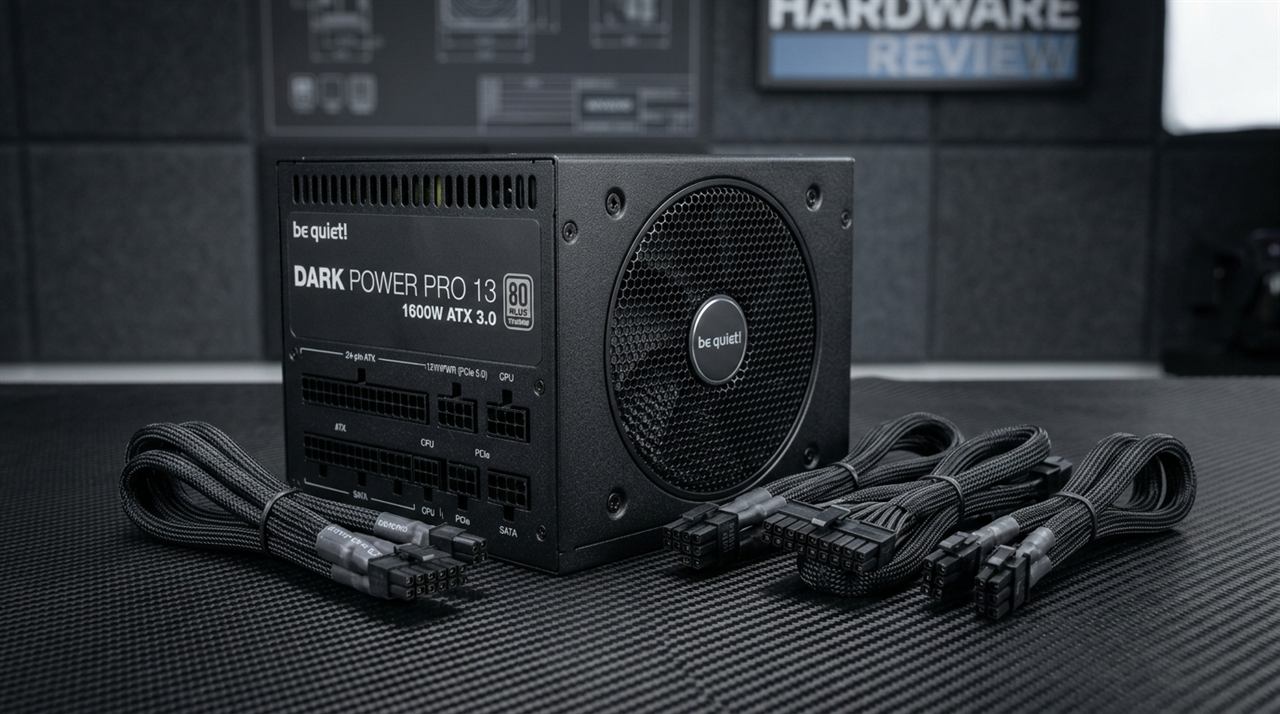
I've killed a GPU. Not through overclocking, not through a bad driver — through a cheap power supply that had no business being inside a PC. It was a white-label 650W unit I grabbed from an Amazon storefront that no longer exists, and it took a mid-range graphics card with it when it finally gave out. That experience changed how I approach every single PSU purchase. I now read spec sheets the way lawyers read contracts, and I want to walk you through that process in full detail.

The PSU is the only component in your system that has the physical capacity to destroy everything else. A bad CPU cooler gives you thermal throttling. A bad RAM stick gives you BSODs. A bad power supply can fry your motherboard, your GPU, your storage drives, and anything else connected to it in a single event. So let's talk about how to identify the dangerous units before you hand over your money.

Why the 80 Plus Certification Is Your First Filter

The fastest quality filter you can apply to any PSU listing is checking for 80 Plus certification. This is a third-party testing program that measures how efficiently a supply converts AC power from your wall into the DC power your components actually use. An uncertified unit might waste 30 to 40 percent of drawn power as heat, which stresses every part of its internal conversion chain and shortens its life substantially.

The 80 Plus tiers break down like this:

80 Plus Level Efficiency at 20% Load Efficiency at 50% Load Efficiency at 100% Load
80 Plus (White) 80% 80% 80%
Bronze 81% 85% 81%
Silver 85% 89% 85%
Gold 87% 92% 87%
Platinum 90% 94% 91%
Titanium 92% 96% 94%

For most desktop gaming builds, Gold is the sweet spot. It's efficient enough to run cool and quiet, common enough to find at fair prices, and well-represented by reputable OEMs. Platinum and Titanium make economic sense only if you run your machine around the clock — think home servers, rendering workstations, or folding rigs where power draw compounds over thousands of hours.

Here's the important red flag: a large volume of PSUs sold on Amazon and Newegg carry no certification at all. They use phrases like "gaming grade efficiency," "smart IC design," and "ultra-quiet operation," but nowhere on the listing does it say 80 Plus anything. That omission is not accidental. It means the unit was either never submitted for testing or failed when it was. I've personally examined units labeled "700W Gaming PSU" that couldn't sustain 450W continuous output without visible voltage sag. The word "gaming" printed on a PSU box is pure marketing — it means absolutely nothing without a certification badge to back it up.

Price-to-Wattage Red Flags

Real power supplies cost real money to build correctly. The transformer, MOSFETs, capacitors, filtering stages, and fan required to deliver 850W reliably under load cost more than $35 to manufacture. When you see pricing like this, walk away:

Price Claimed Wattage What It Actually Means
$25–$35 600W–800W Impossible to build properly at this cost
$40 850W No legitimate brand prices this low
$50 1000W Peak wattage unit, likely rated ~400W continuous
$70–$90 650W–750W Gold Where real budget options begin
$100–$130 850W Gold Normal market pricing for quality
$150–$180 1000W Gold / 850W Platinum Appropriate for high-end builds

A $35 unit claiming 850W is either fraudulently labeled, dangerously overrated, or built with components that will degrade within months. There is no third option.

Continuous Wattage vs. Peak Wattage

This distinction is one of the most manipulated aspects of cheap PSU marketing, and it's almost always hidden in fine print — or left out entirely.

Continuous wattage is what the PSU can deliver indefinitely under normal operating temperatures. This is the only rating that matters for your build.

Peak wattage is a number the unit can theoretically hit for a fraction of a second — sometimes just milliseconds — before it throttles, shuts off, or fails. Manufacturers print the peak number on the box in large type because it's larger and more impressive. You might see "700W" on the front label and find "continuous output: 500W @ 25°C" buried in the spec table.

That 500W continuous rating becomes even smaller in real operating conditions. Legitimate PSUs rate continuous output at 40°C or 50°C ambient — because that's what the inside of your case actually reaches. If a spec sheet only lists ratings at 25°C (room temperature), or omits the temperature qualifier entirely, that's a serious warning sign. Seasonic Focus GX units, for example, are rated full power at 50°C. That's the standard to hold other units to.

Protection Features Checklist

Open the product page for any PSU you're considering and scan the spec sheet for these specific protection features. If fewer than four of the following six are listed, move on.

Protection Feature What It Does Required?
OVP (Over-Voltage Protection) Shuts down if output voltage exceeds safe range Yes
OCP (Over-Current Protection) Cuts power if current draw exceeds safe limits Yes
OPP (Over-Power Protection) Shuts down if total load exceeds rated capacity Yes
SCP (Short-Circuit Protection) Cuts output immediately on a short circuit Yes
OTP (Over-Temperature Protection) Shuts down before internal temps cause component damage Yes
UVP (Under-Voltage Protection) Protects against input voltage sags Good to have

The absence of OCP is particularly dangerous. Without over-current protection, if something shorts on your motherboard or GPU, the PSU will keep pushing current into the fault rather than shutting off — turning a recoverable failure into a total system loss. The Corsair RM850x, Seasonic Focus GX-850, and be quiet! Straight Power 12 all list every one of these protections. That's your baseline.

Japanese Capacitors and Why They Matter

Capacitors are what determine a PSU's long-term electrical stability. They store and filter energy throughout the conversion chain, and cheap electrolytic capacitors degrade rapidly under heat — causing voltage ripple, instability, increased noise, and eventual failure.

The gold standard for PSU capacitors comes from Japanese manufacturers:

  • Nippon Chemi-Con (NCC) — found in Seasonic, Corsair HX/RM, and premium EVGA units
  • Nichicon — used in Seasonic Prime and select Antec HCG platforms
  • Rubycon — less common but excellent; appears in some Seasonic Focus and specialty units

Taiwanese brands like Teapo and CapXon are acceptable in secondary filter positions. The real problem arises with no-brand Chinese capacitors used throughout the entire unit — these typically last two to three years before elevated ESR (equivalent series resistance) starts causing visible ripple and instability on the 12V rail.

You won't find capacitor brands in Amazon listings. To verify, look up teardown reviews on TechPowerUp PSU reviews, Cybenetics, or the archived JonnyGuru database. These reviewers photograph the interior and identify every capacitor in the unit.

PSU OEM Platforms Explained

Here's something the packaging never tells you: most PSU brands don't manufacture their own units. They contract Original Equipment Manufacturers (OEMs) to build the actual hardware, then brand and sell it under their own name. Knowing the OEM behind a unit tells you far more than the retail brand name.

OEM Quality Level Brands Using Their Platforms
Seasonic Excellent Their own brand, some Corsair lines, some older EVGA
Channel Well Technology (CWT) Good to Excellent be quiet!, Cooler Master V-series, some Antec
Great Wall Good (mid-tier) Some Thermaltake, lower-tier Corsair CX
FSP Decent Budget Cooler Master, entry-level Antec
HEC / Compucase Mediocre Various white-label and storefront brands
Sirtec Mediocre to Poor Older Antec baselines, various unnamed brands

A $90 Corsair CX750 built on a Great Wall platform is a materially worse unit than a $105 be quiet! Pure Power 12 built on CWT. The retail brand is secondary to the OEM platform. The Cultists Network PSU tier list (cultists.network) and Tom's Hardware's PSU hierarchy both track OEM platforms and are updated as new reviews publish. Always cross-reference before committing to a purchase.

What "Coil Whine" Tells You About a PSU

Coil whine is a high-pitched buzzing or whining sound produced by inductors and transformers vibrating at their switching frequency. A faint amount at specific load levels is normal even in quality units. Loud, persistent, or erratic whine points to poor component selection, inadequate resonance dampening, or aging components.

Signs a unit is likely to whine:

  • No reviews mentioning noise behavior (reviewers always note significant whine when present)
  • Very low price combined with high claimed wattage
  • Thin plastic fan housing with no vibration isolation

Signs you're probably safe:

  • Gold certification or higher (better filtering = less electrical noise)
  • Fully modular cable design (reduces inductance in the cable harness)
  • Multiple verified reviews specifically noting quiet operation under heavy GPU load

The EVGA SuperNOVA G6, Corsair RMx series, and Seasonic Prime Gold are consistently reviewed as quiet even under GPU transient loads. Budget white-label units are consistently the opposite.

Real-World Comparison: A Safe Unit vs. a Dangerous One

Let me put two units side by side to illustrate every point above:

Feature Seasonic Focus GX-750 Generic "750W Gaming PSU" (Amazon, ~$38)
80 Plus Certification Gold None
Continuous Rating Temperature 50°C 25°C (if listed at all)
OEM Platform Seasonic (in-house) Unknown / unverified
OCP Yes Claimed, unverified
OTP Yes Not listed
Primary Capacitors Nippon Chemi-Con Unknown brand
Fan Bearing FDB (Fluid Dynamic) Sleeve bearing
Warranty 10 years 1 year (if any)
Tier List Position S-tier Not listed (F-tier equivalent)
Price ~$100–$110 ~$35–$42

The Seasonic costs about $65 more. For a component that protects every other part of your build for a decade, that delta is trivial. The generic unit is a liability the moment you plug it in.

Fan Bearing Quality: What to Look For

The fan inside a PSU determines how long it runs cleanly before wear causes noise, vibration, or thermal failure.

  • FDB (Fluid Dynamic Bearing) — Best option. Used in Seasonic, Corsair RMx, and be quiet! Straight Power units. Quiet and durable over 5+ years.
  • Double Ball Bearing — Very durable, sometimes slightly louder. Used in some Seasonic and EVGA units.
  • Hydraulic Bearing — Decent. Found in some Cooler Master and Thermaltake mid-tier units.
  • Sleeve Bearing — Avoid for long-term builds. Quieter initially but degrades faster under heat. Common in budget units.

To verify bearing type, search the model name on Cybenetics or TechPowerUp's PSU review database. Both list fan specifications alongside efficiency measurements.

Amazon Review Pattern Analysis

Product reviews on Amazon contain real signal if you read them systematically. Here's what I look for:

Red flag patterns:

  • Clusters of 5-star reviews posted within the same 2-week window
  • Reviews describing features that don't match the product (copy-pasted from another listing)
  • A pattern of 1-star reviews appearing 12–18 months post-purchase, mentioning sudden failure or burning smell
  • 5-star reviews with no verified purchase badge
  • Product questions left unanswered by the seller

Green flag patterns:

  • Consistent positive reviews spread over 12+ months from verified buyers
  • Reviews mentioning specific use cases with long-term follow-up ("still running fine after 2 years")
  • At least a few honest critical reviews — this signals a genuine review pool
  • Seller responds professionally to complaints

One specific search I always run: filter reviews containing the words "fire," "smoke," or "burning smell." It sounds extreme, but cheap PSUs that fail catastrophically leave a trail of those comments. If more than one or two people have reported a burning smell on any single listing, that product is finished as far as I'm concerned.

Step-by-Step Buying Checklist

Step 1 — Calculate your wattage. Use PC Part Picker's power estimate and add 20% headroom. A Ryzen 5 7600X + RTX 4070 build needs roughly 450W under load; a 750W Gold unit gives comfortable headroom.

Step 2 — Filter by 80 Plus Gold or higher. Eliminate all uncertified and Bronze-only options unless you're severely budget-constrained.

Step 3 — Check the price. If the price is more than 25% below the cheapest Gold unit from a known brand at that wattage, investigate aggressively before buying.

Step 4 — Identify the OEM platform. Search the model name plus "OEM" or "review" and check Cybenetics, TechPowerUp, or the Cultists Network tier list.

Step 5 — Verify protection features. Read the full spec sheet on the manufacturer's website — not just the retail listing.

Step 6 — Check the tier list. Find the exact model on Tom's Hardware's PSU hierarchy or the Cultists Network tier list. Target B-tier or above.

Step 7 — Scan Amazon reviews. Apply the patterns above. Search specifically for failure and burning reports.

Step 8 — Buy with a return option. Amazon, Newegg, or a local retailer with a return policy. Never buy a PSU from a marketplace seller with no returns.

Brands to Avoid and Why

Brand Reason to Avoid
APEVIA No certifications, unknown OEM platform, documented failure history in teardowns
Diablotek Severely overrated wattage across entire lineup, catastrophic failure cases on record
Raidmax Inconsistent protection feature implementation, inferior OEM platforms on most models
Logisys Sleeve bearing fans, missing OCP in most models, consistently fails teardown review standards
Generic storefront brands No OEM accountability, no traceable specification, no support channel
Thermaltake Litepower Inferior OEM; Thermaltake's Toughpower and higher lines are fine

Brands that are consistently reliable: Seasonic (own platform), Corsair RM and HX lines, EVGA SuperNOVA G-series, be quiet! Straight Power and Dark Power, Antec HCG, and FSP Hydro G Pro.


Q&A

Q: Does wattage headroom actually matter, or can I run a PSU at full load? Running at 80–85% of continuous rated output is perfectly fine. Running at 95–100% continuously degrades capacitors faster, reduces efficiency, and increases internal heat. Add 15–20% headroom for longevity.

Q: Is a fully modular PSU worth the extra cost? For build quality, not necessarily — both modular and non-modular designs can be excellent. But full modular designs reduce cable clutter, improve airflow, and make future upgrades cleaner. The Corsair RM750x (fully modular) and be quiet! Pure Power 12 M (semi-modular) are strong examples at their respective price points.

Q: Can I trust an 80 Plus Bronze cert on a cheap, unknown brand? The 80 Plus program tests submitted samples, not production units. Reputable brands like Seasonic, Antec, and be quiet! submit units representative of retail stock. Unknown brands sometimes submit cherry-picked samples. Bronze from a verified brand is fine; Bronze on a storefront brand warrants teardown review verification first.

Q: How long should a quality PSU last? A well-built Gold-rated unit from a reputable OEM platform should last 7–10 years in a normal home PC environment. Seasonic offers a 12-year warranty on their Prime series — the longest in the industry, and a genuine signal of build confidence.

Q: My PSU makes a faint high-pitched noise under GPU load — is that normal? Light coil whine at specific load levels is common even in quality units and is generally harmless. If the whine is loud, changes pitch erratically, or is accompanied by system instability or shutdowns, that indicates electrical noise on the rails and warrants replacement.

Q: What is the difference between ATX 2.0 and ATX 3.0 PSUs? ATX 3.0 PSUs are engineered to handle PCIe 5.0 power delivery and include the native 12VHPWR connector for RTX 4000 and 5000 series GPUs. They also meet stricter transient response requirements to handle the sharp power spikes of modern high-end GPUs. If you're building with an RTX 4080, RTX 4090, RTX 5080, or RTX 5090, an ATX 3.0 unit is worth the premium.

Q: Is a $60 Gold unit from a known brand worth buying? Absolutely. The Seasonic Focus GX-650 and Corsair RM650x both hit this price range on sale regularly and sit at the top of tier lists. Certified price drops from established brands are legitimate. Permanent below-market pricing from unknown brands is not.