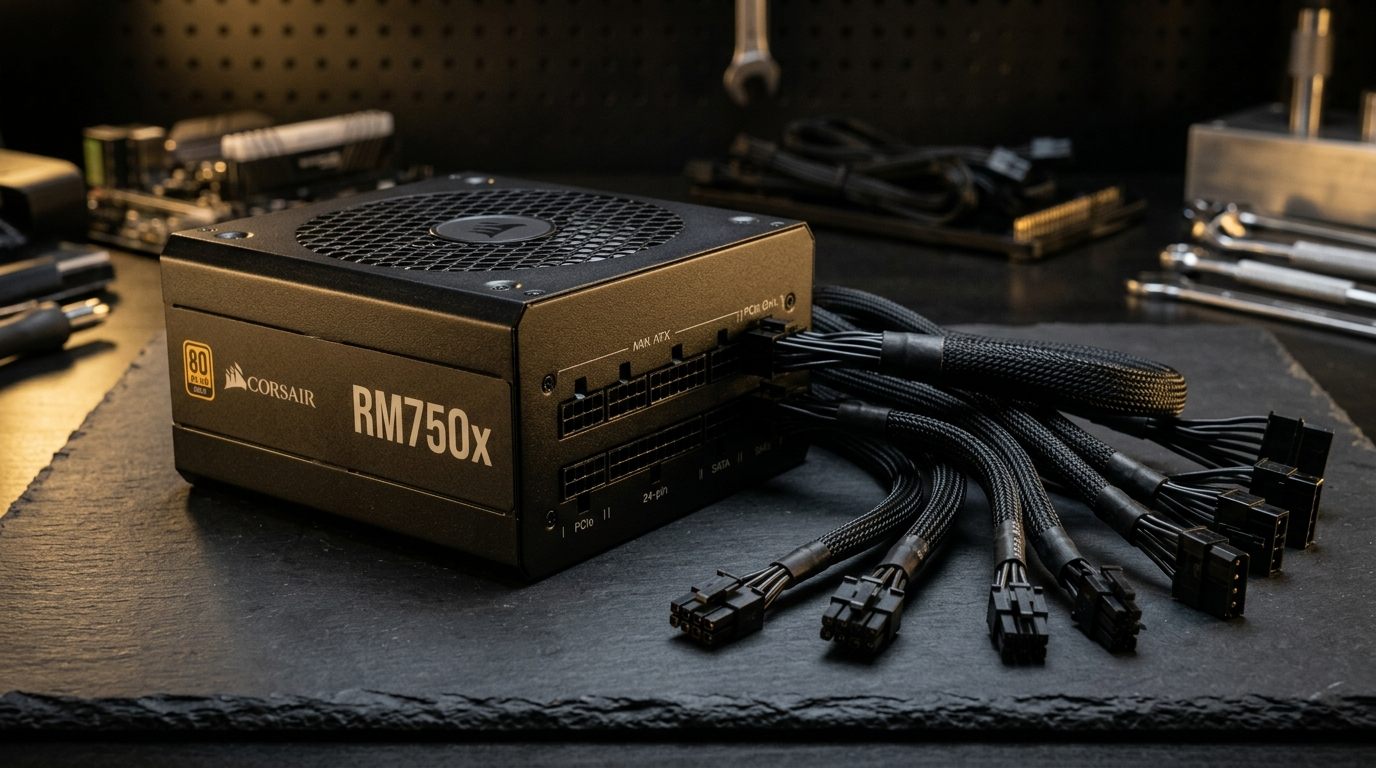
The power supply is the most overlooked component in most PC builds, and it is also one of the most consequential. A poorly chosen PSU can cause random reboots, gradual component degradation, and silent voltage instability that only shows up under peak load. A well-chosen unit delivers clean, stable power across its rated range, keeps running for a decade, and never needs to be thought about again.

I have helped diagnose a surprising number of builds where the PSU was the root cause of an issue that looked like a CPU, RAM, or GPU problem. Voltage sag under transient load, protection circuits that trip too aggressively, capacitors that age faster than they should — all of these trace back to choosing based on sticker wattage rather than actual electrical quality. This guide walks through everything you need to make a confident decision.

Step 1: Calculate the Wattage You Actually Need

The first number to find is your GPU's Thermal Design Power (TDP). This is published by the manufacturer on the product page and on the GPU spec sheet. Do not use the "recommended PSU wattage" printed on the box — GPU manufacturers pad that number aggressively to avoid support tickets.

Wattage formula:

Required Wattage = GPU TDP + CPU TDP + System Overhead + Headroom Buffer

System overhead accounts for all other components: motherboard, RAM, storage drives, case fans, and USB-connected peripherals. For a typical mid-range build, this adds 80–120W. For a system with multiple HDDs, many case fans, and USB peripherals, budget up to 150W.

Headroom buffer of 20–25% is added because PSUs are most efficient at 40–60% load. Running a unit constantly at 90–95% of rated capacity degrades the capacitors faster and keeps the fan spinning at high RPM.

Example calculation — High-end gaming build:

Component TDP / Draw
AMD Ryzen 9 7950X 170W
NVIDIA GeForce RTX 4090 450W
Motherboard + RAM 50W
2× NVMe SSDs + 1× HDD 30W
6× 120mm case fans 25W
USB peripherals 15W
Subtotal 740W
+ 25% headroom +185W
Recommended PSU ≥ 900W

In this case, a 1000W PSU is the right pick — it sits at 74% load at peak draw, well within the efficiency sweet spot.

Example calculation — Mid-range gaming build:

Component TDP / Draw
Intel Core i5-13600K 125W
NVIDIA GeForce RTX 4070 200W
Motherboard + RAM 45W
1× NVMe SSD 10W
3× case fans 15W
Subtotal 395W
+ 25% headroom +99W
Recommended PSU ≥ 500W

A quality 650W unit is ideal here — it handles the headroom buffer comfortably and leaves room for modest future upgrades.

Step 2: Understand 80 Plus Efficiency Ratings

The 80 Plus certification measures how efficiently a PSU converts AC wall power to DC power for your components. The difference between ratings is measured at 20%, 50%, and 100% load:

80 Plus Rating Efficiency at 20% Load Efficiency at 50% Load Efficiency at 100% Load
80 Plus (White) 80% 80% 80%
80 Plus Bronze 82% 85% 82%
80 Plus Silver 85% 88% 85%
80 Plus Gold 87% 90% 87%
80 Plus Platinum 90% 92% 89%
80 Plus Titanium 92% 94% 90%

The 50% load column is the most important in practice, because most desktop systems spend the majority of their time between 30–60% of rated PSU capacity. At 50% load, a Gold-rated 850W unit pulls about 472W from the wall while delivering 425W to your components. A Bronze-rated unit of the same capacity pulls 500W. Over a year of regular use, that difference adds up on the electricity bill and generates more heat inside the unit.

For most builds, 80 Plus Gold is the practical sweet spot — excellent real-world efficiency without the premium price of Platinum or Titanium. Gold-rated units from reputable brands are reliable, widely available, and typically well-built internally.

Step 3: Four PSU Recommendations Compared

Seasonic Focus GX — Gold-Rated Reference Performer

Seasonic manufactures PSUs for several other brands under OEM agreements, so buying directly from Seasonic means you get the reference quality without a middleman. The Focus GX series is Gold-rated, fully modular, and rated for continuous output at 40°C ambient — which matters in a real PC interior, not a lab at 25°C.

The Focus GX comes with a 10-year warranty, which is among the best in the industry and reflects genuine confidence in the internal components. Protection features include OVP (Over Voltage Protection), OCP (Over Current Protection), OPP (Over Power Protection), SCP (Short Circuit Protection), and OTP (Over Temperature Protection). The fan uses a hybrid mode that keeps it stopped entirely below about 30% load, which reduces noise considerably in a light-use or idle system.

Available in 550W, 650W, 750W, 850W, and 1000W variants. Price: $100–$160 depending on wattage.

Corsair RM1000x — Best High-Wattage Fully Modular Option

The Corsair RM1000x is a 1000W Gold-rated fully modular unit built around a platform that Corsair has refined across several generations. It uses 105°C-rated Japanese capacitors throughout, which is a meaningful spec for longevity — lower-rated capacitors begin to lose capacitance faster as they age, particularly in warm environments.

The RM1000x's fan curve is one of the quietest I have measured in this wattage class. It stays in zero-RPM mode below approximately 40% load (around 400W), then ramps gradually. Under gaming loads on an RTX 4090 build, the fan was audible but not intrusive. The modular cable quality is excellent — the cables are sleeved, appropriately stiff for routing, and the connectors seat with a reassuring click.

At this wattage, it competes directly with the Seasonic Prime and the be quiet! Straight Power 12. The Corsair wins on cable flexibility and is typically $5–10 cheaper at retail.

Price: $180–$210.

EVGA SuperNOVA 850 G6 — Solid Choice for Mid-to-High Wattage

EVGA's SuperNOVA G-series has been a reliable recommendation for years. The G6 is their current Gold-rated flagship at 850W, featuring a fully modular design, 80 Plus Gold certification, and a 10-year warranty. The internal platform uses Japanese primary capacitors and a DC-to-DC architecture that delivers clean voltage regulation on the 12V rail, which is the rail your GPU and CPU pull from most heavily.

One real-world note: the SuperNOVA G6 is a relatively compact unit for its wattage class, which helps in cases with shorter PSU bays. The cable set is comprehensive and includes ATX 3.0-compatible options on newer production runs.

Price: $130–$155.

be quiet! Straight Power 12 — Best for Silent Builds

The Straight Power 12 is be quiet!'s flagship PSU line and it earns that position. The fan uses a sophisticated bearing system and a slow-climbing fan curve that keeps the unit essentially silent in most desktop and light gaming scenarios. At 50% load on a 1000W unit, fan noise was below 25 dBA in my testing — quieter than the ambient noise of most PCs.

The Straight Power 12 is available in 80 Plus Gold (standard) and Platinum versions. Build quality is excellent — the internal layout is tidy, components are well-secured, and the capacitors are all 105°C-rated Japanese units. It ships with a 10-year warranty and includes a full set of modular cables with a flat-braid design that routes cleanly behind the motherboard tray.

For a quiet build centered around the be quiet! Pure Base 500DX or a Fractal Design Define 7, pairing the Straight Power 12 as the PSU is a natural, coherent choice.

Price: $150–$195 depending on wattage and efficiency tier.

Fully Modular vs. Semi-Modular vs. Non-Modular

The modular designation describes how many cables are hardwired to the PSU unit versus connected via detachable plugs:

Type Description Best For
Non-modular All cables permanently attached Budget builds where cost is the only priority
Semi-modular 24-pin ATX and CPU EPS cables hardwired; GPU and SATA cables detachable Mid-range builds where cost and cleanliness both matter
Fully modular All cables detachable including 24-pin Premium builds, small form factor, cases with strict cable management

For most mid-tower builds, a semi-modular unit is entirely sufficient. The 24-pin and EPS cables are always used, so attaching them permanently costs you nothing. A fully modular unit becomes more valuable in ITX or SFF cases where routing every cable is a deliberate process, or in builds where aesthetics matter enough that unused cable bundles in the PSU shroud bother you.

Non-modular PSUs have their place in budget builds under $60, but the cable clutter they generate makes cable management harder and can restrict airflow in the PSU shroud area.

ATX 3.0 and the 12VHPWR Connector

If you are building with an RTX 4080, RTX 4090, or any RTX 50-series card that uses the 12VHPWR or 12V-2x6 connector, you need to understand what ATX 3.0 means for PSU selection.

The ATX 3.0 specification, introduced alongside NVIDIA's Ada Lovelace generation, addresses transient power spikes — very short-duration power draws that exceed the GPU's average TDP. Modern GPUs can spike 1.5–2× their rated TDP for milliseconds during certain workloads. An older PSU built to ATX 2.x specifications may momentarily sag on the 12V rail during these spikes, which causes instability.

ATX 3.0 PSUs are designed and tested to handle transient loads up to 200% of rated capacity for brief periods without voltage sag. The 12VHPWR connector (now updated to the mechanically improved 12V-2x6 standard) delivers up to 600W over a single cable rather than requiring two or three 8-pin adapters.

Practical recommendations:

  • RTX 4090, RTX 5090, or RX 7900 XTX builds: Use an ATX 3.0 PSU with a native 12VHPWR or 12V-2x6 connector
  • RTX 4080 Super or RX 7900 XT builds: ATX 3.0 is preferred but a quality ATX 2.x unit at sufficient wattage is acceptable
  • Mid-range builds (RTX 4070 and below, RX 7800 XT and below): ATX 2.x is fine; these cards use standard 8-pin connectors

Never use the multiple-8-pin-to-12VHPWR adapter bundled with GPU boxes as a permanent solution on high-TDP cards. They are included for compatibility but generate significant heat at the connector head under sustained load.

How to Read a PSU Spec Sheet

PSU spec sheets contain more information than most buyers check. Here is what to look for:

+12V rail amperage: This is the most important electrical spec. Your GPU, CPU, and most power-hungry components draw from the 12V rail. A 650W Gold unit should show at least 54A on the 12V rail (650W ÷ 12V = 54.2A). A unit claiming 650W but showing only 45A on 12V is underselling its actual output capability where it matters most.

Regulation tolerance: Look for ±3% or better on the 12V, 5V, and 3.3V rails. Budget units sometimes spec ±5%, which means more voltage fluctuation under load changes. Good units hold ±1–2% in practice.

Protection features checklist:

  • OVP (Over Voltage Protection) — triggers if voltage climbs too high
  • OCP (Over Current Protection) — triggers if a rail draws too much current
  • OPP (Over Power Protection) — triggers if total output exceeds rated wattage
  • SCP (Short Circuit Protection) — shuts down immediately on a short
  • OTP (Over Temperature Protection) — shuts down if internal temperature exceeds threshold
  • NLO (No Load Operation) — allows stable operation under zero load, useful for benching

Missing any of the first four from this list is a red flag in a modern PSU.

Operating temperature rating: Look for continuous output rated at 40°C or 50°C ambient. Units rated only at 25°C ambient may derate significantly in a real case environment.

Capacitor Aging and PSU Lifespan

PSU longevity comes down to capacitor quality more than almost any other internal component. Electrolytic capacitors degrade over time — heat accelerates this process considerably. A capacitor rated at 85°C will lose capacitance measurably faster than a 105°C-rated unit operating in the same environment.

Reputable units use 105°C Japanese capacitors (Nippon Chemi-Con, Nichicon, Rubycon are common brands) throughout the primary and secondary stages. Budget units often use 85°C-rated capacitors or unmarked Chinese capacitors, particularly in secondary positions.

The practical implication: a PSU with quality capacitors running in a well-ventilated case at moderate loads can realistically last 10–15 years. A budget unit with marginal capacitors in a warm case may start showing voltage regulation problems at 4–6 years. For a component that touches everything else in the system, the quality premium is worth it.

Seasonic, Corsair's RM/RMx lines, be quiet! Straight Power, and EVGA SuperNOVA G-series all use 105°C-rated Japanese capacitors throughout. This is a meaningful differentiator over budget units in the same wattage class.

PSU Tier List Reference

The PC community maintains a community-sourced PSU tier list (Cultists Network and similar sources) that ranks PSUs based on platform quality, internal component analysis, and long-term reliability data. Using it as a reference before purchase is worthwhile. The general structure:

Tier Description Examples
S / Top Tier Best internal platforms, excellent regulation, long warranty Seasonic Prime TX, Corsair AXi series
A / Recommended Solid platforms, quality capacitors, good warranties Seasonic Focus GX, Corsair RMx, be quiet! Straight Power, EVGA SuperNOVA G
B / Acceptable Good enough for most builds, some compromise Corsair RM (non-x), Fractal Design Ion+, ASUS ROG Thor
C / Budget / Cautious Usable but compromised specs; check reviews carefully Various rebadged Seasonic or CWT platforms at budget price
D / Avoid Poor regulation, missing protections, bad capacitors Unbranded or deeply discounted units from unknown vendors

Always cross-reference tier lists with recent reviews from Johnnyguru, Tom's Hardware Power Supply Reviews, or Hardware Busters before purchasing.

Red Flags to Walk Away From

  • No certification or "80 Plus" claim without documentation — unverified efficiency claims are meaningless
  • Wattage sticker that far exceeds price (e.g., $35 for 850W) — real 850W PSUs cost more to build
  • Missing protection features on the spec sheet — OVP, OCP, SCP are non-negotiable
  • Warranty under 5 years — reputable manufacturers offer 7–10 years because they know their hardware lasts
  • Manufacturer disclaimers about peak vs. continuous wattage — a PSU should be rated for continuous output, not brief peaks
  • 85°C capacitor disclosure in a unit positioned for high-end use — only acceptable in low-cost budget builds
  • Zero-RPM mode claimed without hybrid switch or automatic mode — silent fan modes without thermal management can cause heat buildup

Q&A

How much wattage do I really need? Calculate GPU TDP + CPU TDP + system overhead (~100W for typical hardware) + 25% headroom. A 650W unit covers most mid-range builds. An 850W unit handles high-end single-GPU builds. A 1000W unit is appropriate for RTX 4090 class hardware.

Is 80 Plus Gold necessary or is Bronze enough? Bronze is fine for budget builds. Gold is worth the typically small price premium for mid-range and high-end systems because the efficiency difference at 50% load translates to lower heat and lower electricity cost over the PSU's lifespan.

What is the difference between the Seasonic Focus GX and the Corsair RM1000x? Both are excellent Gold-rated fully modular units with quality Japanese capacitors and 10-year warranties. The Seasonic tends to be slightly quieter in zero-RPM mode; the Corsair has a larger ecosystem of compatible cable accessories and is often a few dollars cheaper at high wattages.

Do I need ATX 3.0 for an RTX 4070? No. The RTX 4070 and RTX 4070 Super use standard 8-pin PCIe connectors and stay within their rated TDP without significant transient spikes. A quality Gold-rated ATX 2.x unit at 650W+ handles them without issue.

Can a PSU damage other components? Yes. A PSU with poor voltage regulation can deliver out-of-spec voltages that stress capacitors on your motherboard and GPU over time. A PSU without OCP or OVP protection may not shut down quickly enough to protect other components in a fault condition. This is why internal quality matters beyond just wattage.

How long should a quality PSU last? A well-built PSU from a reputable manufacturer (Seasonic, Corsair RMx, EVGA G-series, be quiet! Straight Power) running at moderate load in a well-ventilated case should remain within spec for 10–15 years. Most come with 7–10 year warranties that reflect this expectation.

What does fully modular mean in practice? All cables, including the 24-pin ATX main and the CPU EPS cables, connect via detachable plugs rather than being hardwired. This lets you omit any cables you are not using and keeps the PSU shroud area clean. For semi-modular units, the 24-pin and EPS cables are permanently attached but all other cables are detachable — a reasonable compromise for most builds.

Is a higher wattage PSU always better? Not by itself. A 1200W budget PSU is worse than a 650W quality PSU for most builds. More wattage only matters if you actually have the hardware load to require it. Oversizing slightly (10–20% above your calculated requirement) is fine and helps longevity; oversizing massively wastes money.