 Zyrox
ZyroxHow to Read a PSU Spec Sheet Without Getting Misled
Learn how to read a PSU spec sheet. Understand continuous vs peak wattage, +12V rail amperage, voltage ripple thresholds, capacitor tiers, and Cybenetics ratings.
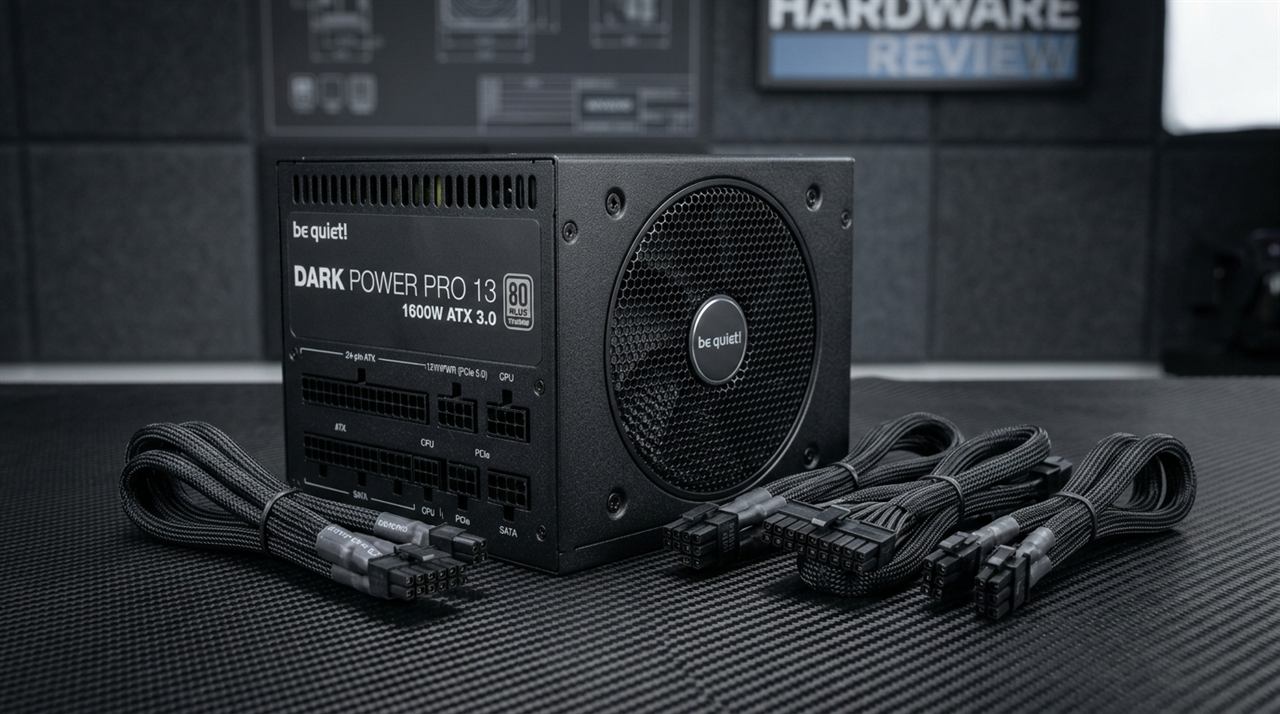 I once helped a friend debug a system that would crash under load with no error, no blue screen, and no obvious cause. We swapped the GPU, reseated the RAM, reinstalled Windows, and ran memtest for hours. The culprit turned out to be a 750W power supply that couldn't actually deliver 750W continuously. Under a sustained gaming load that pulled about 650W, the PSU's real output sagged, its 12V rail dropped below the tolerance margin, and the system reset itself.
The box said 750W. The spec sheet said 750W. It even had an 80 Plus Bronze badge. None of that told us the unit was built with cheap capacitors that couldn't hold voltage under thermal stress. That experience turned me into someone who reads PSU spec sheets carefully — and more importantly, knows what the numbers actually mean versus what the marketing wants you to believe.
This guide will walk through every relevant specification in the order you should check it, exposing exactly how the same marketing language covers very different quality levels.
Wattage: Continuous vs Peak Rating
The first and most abused number on any PSU spec sheet is the wattage rating.
Continuous power is the wattage the unit can deliver indefinitely without throttling, shutting down, or degrading. This is the only number that matters for your build. Peak power is the wattage the unit can briefly deliver under burst loads for a few milliseconds. It has absolutely no practical relevance to real-world PC use.
Disreputable manufacturers print peak power in huge letters on the box, then bury the continuous rating in small print, or omit it entirely. A trustworthy spec sheet states exactly what you are getting: "Maximum continuous output power: 750W at 40°C, 115V/230V input." A deceptive one screams "850W peak output" and hides the 650W real rating in a footnote.
12V Rail Amperage Calculation
In a modern PC, the 12V rail does all the heavy lifting. The CPU, GPU, fans, and most storage draw primarily from 12V.
To check if a PSU's 12V rail can support your hardware, divide the 12V rated watts by 12. If a 750W PSU allocates 744W to its 12V rail (like the Seasonic Focus GX-750), it provides 62 Amps on 12V. That is excellent allocation. The Corsair RM850x allocates 840W (70A) on 12V, which is fantastic for heavy GPUs.
However, budget units often allocate a disproportionately small amount of total wattage to 12V. A generic "750W" budget unit might only offer 504W on 12V (42A), fluffing up the 5V and 3.3V rails to make the total wattage look impressive. That is a weak PSU disguised as a strong one.
Voltage Regulation Tolerance: ±1% vs ±5%
Voltage regulation describes how tightly the PSU holds its output voltage under varying load conditions. The ATX specification allows a ±5% variation.
A cheap Tier D PSU will hit the absolute edge of that 5% tolerance under load (dropping down to 11.4V), which causes instability and stresses your motherboard's VRM regulators. A Tier B or Tier C PSU usually stays within ±2–3%, which is totally adequate for mainstream builds. But a premium Tier A PSU stays within ±1% or even ±0.5% under dynamic load changes, providing rock-solid voltage stability.
Ripple and Noise Specification
Ripple is the residual AC fluctuation riding on top of the rectified DC output voltage. The official ATX specification sets the maximum allowable ripple limit at 120mV on the +12V rail and 50mV on the 5V and 3.3V rails.
- Tier A Flagship PSUs: Typically suppress 12V ripple down to under 20mV to 25mV under 100% load.
- Mid-Range / Budget Units: Usually hover around 40mV to 60mV.
- Dangerous Units: Float near or above the 120mV boundary.
High ripple damages delicate silicon over time, degrades overclock stability, and creates severe GPU inductor coil whine.
Efficiency: 80 Plus vs. Cybenetics ETA
The 80 Plus certification tests efficiency at 20%, 50%, and 100% load at room temperature (23°C). 80 Plus Bronze hits 85% at 50% load, while 80 Plus Gold requires 90%.
However, Cybenetics has largely superseded 80 Plus in technical evaluations:
- Cybenetics ETA: Tests real-world efficiency at an elevated 30°C+ ambient across over 1,400 load combinations, including 5VSB vampire power draw.
- Cybenetics LAMBDA: Objectively measures acoustic fan noise inside an anechoic chamber (from Standard down to A++).
Remember: efficiency certifications only measure how much power is lost as heat. A PSU can pass 80 Plus Gold and still have poor voltage regulation, missing protections, or terrible internal capacitors. Always check teardown reviews.
Protection Features Checklist
Every quality PSU spec sheet explicitly lists its protection features.
Over Voltage Protection (OVP) and Short Circuit Protection (SCP) are common because they are cheap to implement and required for regulatory compliance. However, premium units also include Over Current Protection (OCP), Over Power Protection (OPP), Over Temperature Protection (OTP), and Under Voltage Protection (UVP).
Missing OTP is a huge red flag. A PSU without thermal protection can literally continue operating while it overheats, degrading its capacitors and potentially starting a fire. Look for exact thresholds on the spec sheet, not just a "Yes" checkbox.
Capacitor Tiers: Japanese vs. Taiwanese vs. Budget Chinese
Electrolytic capacitors dictate a PSU's longevity, ESR (equivalent series resistance), and ripple suppression:
- Tier 1 (Japanese 105°C): Brands like Nippon Chemi-Con, Rubycon, and Nichicon are the industry benchmark. They use high-purity electrolytes rated for 105°C operation and over 5,000–10,000 hours of continuous load. They are standard in Tier A and Tier B power supplies.
- Tier 2 (Taiwanese 105°C): Brands like Teapo and Taicon produce reliable 105°C-rated capacitors frequently used in solid mid-range and budget PSUs (like Corsair CX or be quiet! Pure Power).
- Tier 3 / Low-End (Chinese / 85°C Rated): Generic brands (such as ChengX, Jun Fu, or 85°C-rated budget lines) degrade rapidly under the elevated ambient temperatures of a gaming PC chassis (40°C+), drying out their electrolyte fluid, causing excessive ripple voltage, and leading to premature failure.
Quality manufacturers proudly advertise "100% Japanese 105°C Capacitors" on the box. If a manufacturer uses vague marketing language like "industrial-grade high-quality capacitors" without naming the brand or temperature rating, check professional teardown reviews from Hardware Busters or TechPowerUp before buying.
Transient Response Specification
Transient response is how quickly the PSU recovers when a GPU suddenly demands massive power. Good transient response means the voltage dips slightly and recovers in microseconds. Poor response means deep voltage dips that cause system crashes. This spec is rarely marketed, but premium units achieve ±2% recovery in under 500 microseconds. You have to read third-party lab reviews to find this data, but it's critical for high-end GPUs.
"100% Rated Power at 40°C" — What This Means
A legitimate PSU rated at "750W at 40°C" can deliver 750W continuous output inside a warm PC case. A cheap PSU rated at "750W at 25°C" can only do that at room temperature; put it inside a 40°C case, and its actual output drops to 600W. This is called temperature derating. Always check the ambient temperature rating.
Tier A vs Tier D Side-by-Side
If you compare a Seasonic Focus GX-750 (Tier A) to a generic 750W Tier D unit, the differences are staggering. The Seasonic offers 750W continuous at 40°C, 62 Amps on the 12V rail, ±0.5% regulation, Japanese capacitors, all protections including OTP, and a 10-year warranty. The generic unit offers 550W continuous (sold as 750W peak) at an unstated temperature, 45 Amps on 12V, ±4-5% regulation, Chinese capacitors, misses OTP and OPP, and has a 1-year warranty.
The generic unit is 40% cheaper, but it's a massive liability.
Red Flags to Watch For
Walk away if wattage is listed without specifying continuous or peak, or if there's no temperature rating. Run if the 12V allocation is less than 80% of the total wattage. Avoid units missing OPP or OTP, units with warranties under 3 years, or units with no third-party teardown reviews. Don't compromise on the one component that powers everything else.
Related Guides
← Back to home