 Zyrox
ZyroxWhat Does RAM Actually Do in a Computer?
A clear, non-technical explanation of what RAM (Random Access Memory) actually does, why your computer needs it, and how much you really need.
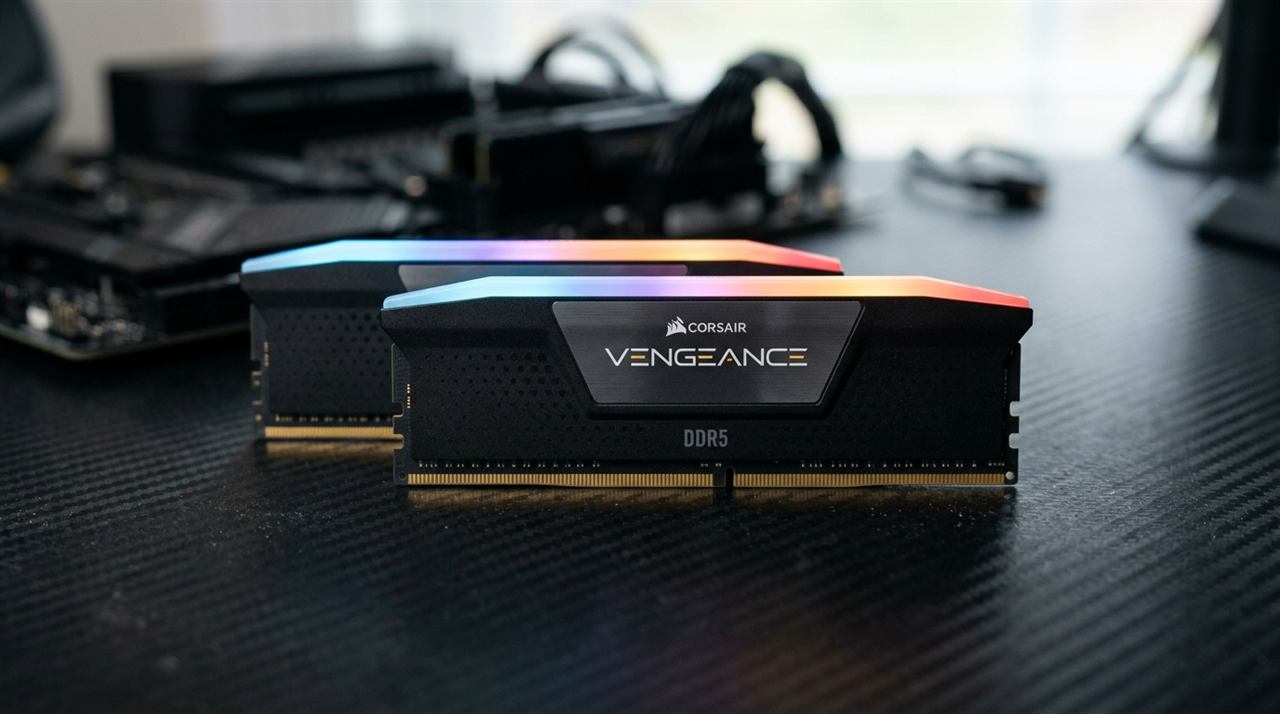 I get asked this question constantly — at family dinners, at barbecues, in DMs from friends who are laptop shopping. "How much RAM do I need?" And when I say "well, it depends on what you do with your computer," their eyes glaze over because they don't really know what RAM is in the first place.
So let's fix that. No jargon, no CS degree required.
Think of It Like a Desk
I've tried a bunch of analogies over the years and this one always clicks with people.
Your computer is basically an office. Your hard drive or SSD — that's the filing cabinet in the corner. Massive. Holds everything you own. Every photo, every document, every game. But getting stuff out of it takes a second because you gotta walk over there, open a drawer, find the right folder.
Your CPU, the processor — that's you, sitting at the desk doing the actual work. Reading documents, crunching numbers, making decisions.
And RAM? RAM is the desk itself. The physical surface area where you spread out the stuff you're currently working on.
When you open Chrome, or Word, or a video game, your computer doesn't keep reading that data from the filing cabinet. That would be painfully slow. Instead, it pulls the relevant files out and spreads them across your desk so the CPU can grab what it needs instantly. RAM is fast. We're talking thousands of times faster than even a good SSD.
That's it. That's what RAM does. It's your computer's short-term workspace.
So What Happens When You Run Out?
This is the part that actually matters in practice.
Back to the desk analogy. You've got a small desk. You open a massive spreadsheet, a couple PDFs, and then your boss tells you to open 25 Chrome tabs because apparently that's just how people work now. Your desk is buried. Papers everywhere. No room for anything else.
Now your boss walks in with an urgent report. You need to read it immediately, but there's literally no space left on your desk. So what do you do? You grab some of the papers you're not looking at right this second, walk them back to the filing cabinet, stuff them in a drawer, and put the new report on the desk.
Then five minutes later you need those old papers again. So you put the report away, walk back to the cabinet, pull them out...
In computer terms, that shuffling back and forth is called paging. When your RAM fills up, Windows takes data from apps you aren't actively clicking on and temporarily dumps it onto a hidden file on your storage drive called the pagefile. The problem? Your storage drive is way slower than RAM. So everything starts to stutter and lag.
You know that thing where you alt-tab back to a browser tab and the whole computer just freezes for five seconds while the hard drive light goes crazy? That's paging. You ran out of desk space and your computer is desperately moving papers back and forth just to keep the lights on.
Why Does Everything Disappear When I Shut Down?
RAM is what they call "volatile" memory. Fancy way of saying: it needs constant electricity to hold onto anything. The second you cut power — whether you shut down normally or your battery dies mid-sentence — the RAM is wiped clean. Instantly. Everything on that desk gets swept onto the floor and vanishes.
That's why you lose unsaved Word documents when your laptop dies. The document existed on the desk but hadn't been filed away to the cabinet yet. Ctrl+S exists for a reason. Ask me how I learned that lesson — actually, don't. It involved a college term paper and a lot of swearing.
How Much Do You Actually Need Right Now?
RAM is just temporary workspace. Having a bigger desk doesn't make you think faster. If you only ever look at one sheet of paper at a time, a massive desk is wasted space. Same deal with RAM.
At 8 GB, you are barely scraping by. It'll handle basic browsing, YouTube, email, and light Office stuff. But start opening tabs and throwing Spotify into the mix and you'll feel it struggle. I wouldn't buy a new PC with 8 GB today unless the budget is seriously tight.
At 16 GB, you have the baseline for general computing, office multitasking, and esports games. It handles dozens of Chrome tabs, Spotify, and office suites comfortably without stuttering.
At 32 GB, you are in the modern sweet spot for dedicated gaming and creative workloads. Modern AAA games (Hogwarts Legacy, Flight Simulator, Star Wars Jedi: Survivor) routinely push total system memory consumption past 18 GB when running alongside Discord, Steam, and Windows background services. If you play demanding open-world games, edit 4K video, or run virtual machines, 32 GB prevents pagefile hitching and gives you genuine multi-year breathing room.
At 64 GB and above, you are in a very niche space. Unless you're doing 3D rendering, compiling huge codebases, running local AI models, or doing scientific computing, this is overkill. Most of that RAM will just sit there unused.
Frequently Asked Questions
Can I download more RAM? Ha. No. This is one of the oldest internet jokes out there. RAM is a physical piece of hardware that you physically plug into your motherboard. Any website claiming otherwise is either a joke or trying to install malware on your machine.
Does RAM speed matter, or just the amount? Both, but amount wins by a mile. If you run out of RAM, your system crawls to a halt and no amount of speed helps. If you have enough but it's a bit slower, the performance difference in most use cases is maybe 2 to 5 percent. Gamers chasing every last frame might care. Everyone else won't notice.
What about VRAM — is that the same thing? Nope, different animal. VRAM lives on your graphics card, not your motherboard. Regular RAM holds data for the CPU. VRAM holds data for the GPU — game textures, 3D models, shader data. You can't upgrade VRAM; it's soldered onto the graphics card.
Windows says I have 16 GB but only 15.8 GB is "usable." Am I getting ripped off? Nah, you're fine. The motherboard and Windows reserve a tiny sliver at the hardware level for system management tasks. Every system does this and it's completely normal.
Related Guides
← Back to home