 Zyrox
ZyroxBest Motherboard for RTX 4070: What Matters Most
Choose the best motherboard for an RTX 4070 build by focusing on PCIe bandwidth, VRM quality, connectivity, and upgrade flexibility.
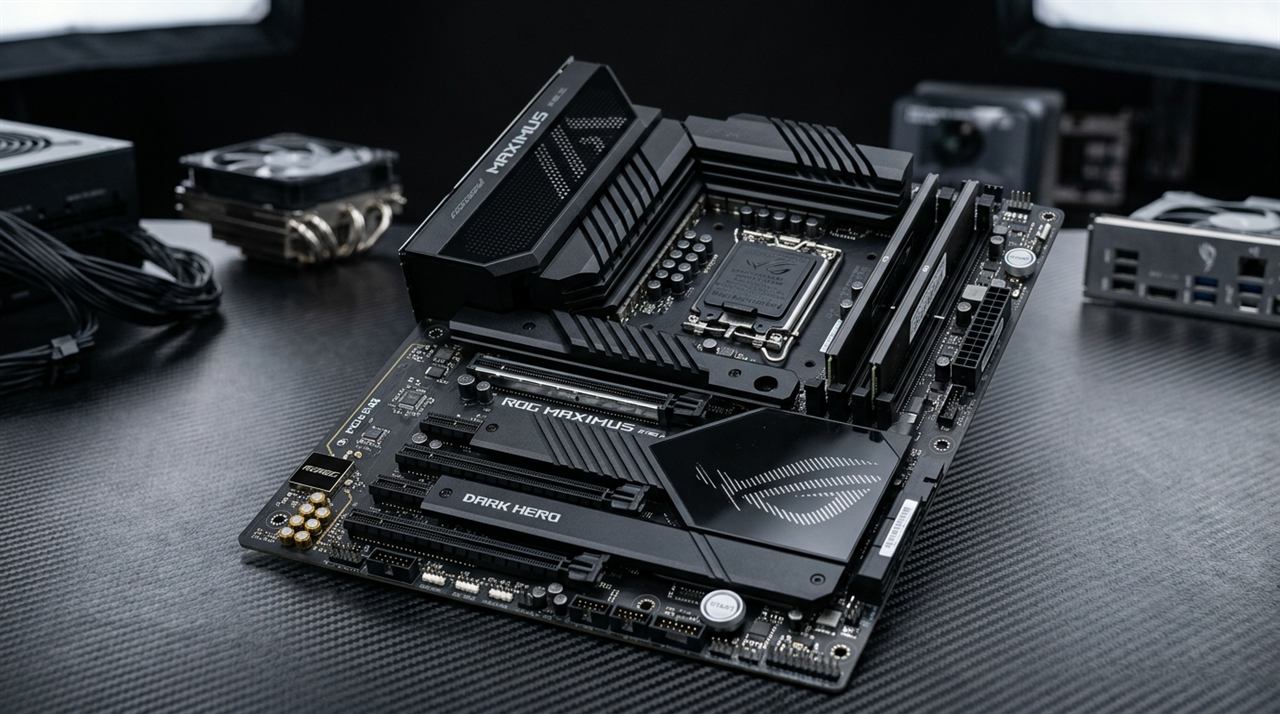 The biggest mistake I see in custom PC builds right now is people searching for a motherboard to "match" their GPU without considering their CPU platform.
Here is the fundamental hardware truth: Your graphics card does not care which motherboard socket you buy. An RTX 4070 runs on a standard PCIe 4.0 x16 slot whether you plug it into an AMD AM5 motherboard or an Intel LGA1700 motherboard. The motherboard exists to power your processor (CPU) and connect your storage/memory.
Pairing an RTX 4070 with a $400 flagship X670E or Z790 board yields exactly zero extra frames per second over a quality $150–$180 B650 or B760 board.
Here is the exact breakdown for both AMD AM5 (Ryzen 7000/9000) and Intel LGA1700 (13th/14th Gen) builders.
The Platform Decision: AMD B650 vs. Intel B760
Because the RTX 4070 pairs equally well with Intel and AMD chips, choose your board based on your CPU:
- Building with AMD Ryzen (7600, 7700X, 7800X3D): Choose AMD B650. AM5 is a long-lived socket supported through 2027+, meaning you will be able to drop a future Zen 6 processor into this board without replacing your motherboard or RAM.
- Building with Intel (i5-13600K, i5-14600K, i5-13400F): Choose Intel B760 (or Z790 only if you plan to manually overclock unlocked K-series chips). Note that LGA1700 is a dead-end platform with no new CPU upgrade path beyond 14th Gen.
- Chipset Bandwidth: Neither platform will bottleneck your GPU. The RTX 4070 operates on PCIe 4.0 x16, saturating only a fraction of total bus bandwidth in real-world 1440p gaming.
The Shortlist: Top Motherboards for RTX 4070 Builds
1. MSI MAG B650 Tomahawk WiFi (AMD AM5)
The definitive motherboard for pairing the RTX 4070 with Ryzen 5 7600X or Ryzen 7 7800X3D. With heavy aluminum heatsinks and a proven 14-phase power delivery, it handles high-tier gaming processors with ease and guarantees drop-in CPU upgradeability through 2027.
2. MSI MAG B760 Tomahawk WiFi (Intel LGA1700)
The gold standard for mainstream Intel builds (i5-13600K / i5-14400F). Overkill 16-phase VRM ensures ice-cold power delivery during extended gaming, while 3 onboard M.2 slots provide excellent storage expansion.
3. ASUS TUF Gaming B760-Plus WiFi D4
The smartest choice for builders upgrading existing PCs who want to carry over a 32GB DDR4 memory kit. Saves $80-$120 on platform memory costs without sacrificing GPU bandwidth.
4. Gigabyte Z790 Aorus Elite AX
Built for users pairing the RTX 4070 with unlocked Core i7-14700K or i9-14900K chips who require CPU multiplier overclocking, excessive USB connectivity, and massive VRM heatsinks.
Do You Need a PCIe 5.0 Slot for the RTX 4070?
No. The RTX 4070 is a PCIe 4.0 card. If you plug it into a motherboard with a PCIe 5.0 slot, it just runs at PCIe 4.0 speeds. It makes absolutely zero difference to the performance of the card today.
The only reason to care about PCIe 5.0 is if you plan to keep the motherboard for your next GPU upgrade in 4 or 5 years, when the RTX 6000 or 7000 series might actually have enough raw power to saturate a PCIe 4.0 connection.
Wi-Fi 6 vs 6E: Does it Matter?
Standard Wi-Fi 6 runs on the 2.4 GHz and 5 GHz bands. It's fast and fine for most houses. Wi-Fi 6E adds the 6 GHz band. Because it's newer, very few of your neighbors are using it. If you live in an apartment complex where 30 different routers are fighting over the 5 GHz spectrum, 6E is a lifesaver for gaming latency. (Note: Your router also needs to support 6E to use this).
The Final Call
Stop overthinking the motherboard. Pick the one that fits your RAM (DDR4 vs DDR5), has enough M.2 slots for your storage plans, and has WiFi if you need it. Put the money you save toward a 1440p monitor that actually lets you see what that RTX 4070 can do.
Related Guides
← Back to home