 Zyrox
ZyroxWhat Is the Best Motherboard for Ryzen 7 7800X3D?
Find the best motherboard for Ryzen 7 7800X3D by comparing chipset features, VRM quality, connectivity options, and real-world gaming value.
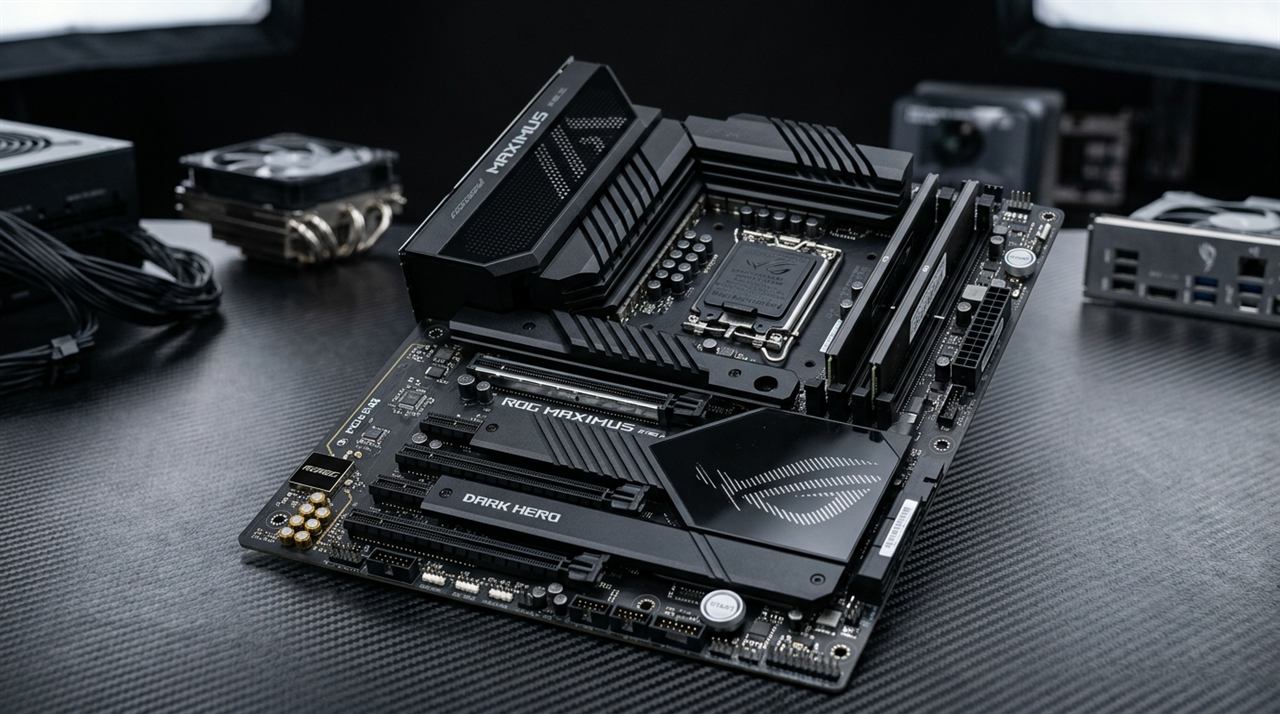 I wasted a solid hour on my first Ryzen 7 7800X3D build because of something I should have checked before the CPU even arrived. The motherboard I ordered — an older X670E board that had been sitting in a retailer's warehouse for months — shipped with a BIOS version that predated 7800X3D support. I installed everything, pressed the power button, and got nothing. No POST, no beeps, just fans spinning and a blank screen. I spent 20 minutes reseating RAM, checking cables, and second-guessing myself before I finally thought to check the BIOS compatibility list. Sure enough, the board needed an update to recognize the 7800X3D, and I had no older AM5 CPU to boot it with.
That experience turned a one-hour build into a three-hour ordeal. I ended up using a friend's spare Ryzen 5 7600 to flash the BIOS. But that should never be necessary if you know to check in advance.
The 7800X3D is a fascinating CPU to shop a motherboard for because it inverts the usual logic. This chip cannot be overclocked in the traditional sense. AMD locks the multiplier and voltage on all 3D V-Cache processors. That means the main selling point of premium chipsets — overclocking headroom — is irrelevant. What actually matters is power delivery stability, EXPO memory support, quality I/O, and long-term AM5 platform compatibility.
X670E vs B650E: The Real Difference
AMD's AM5 chipset lineup has four main tiers: X670E, X670, B650E, and B650. For the 7800X3D, the relevant comparison is between X670E and B650E, because both offer PCIe 5.0 x16 on the primary GPU slot.
X670E is the flagship. More PCIe lanes, more USB ports, native USB 4 support on premium boards, and generally the most M.2 slots with the most running at PCIe 5.0 speeds. X670E boards also tend to have the most robust VRM configurations, which matters for future high-TDP AM5 processors even though the 7800X3D itself is relatively modest at 120W.
B650E is the smarter choice for most 7800X3D owners. It gives you the same PCIe 5.0 x16 GPU slot while offering fewer total PCIe lanes and generally two to three fewer M.2 slots. The price savings can be $80 to $150 compared to a comparable X670E board. For a CPU that doesn't overclock, B650E hits the sweet spot perfectly.
Plain B650 (no E suffix) lacks the guaranteed PCIe 5.0 x16 GPU slot. Some B650 boards include it anyway, but it is not required by the spec. For GPU upgrade flexibility, B650E is safer.
Top Motherboards Recommended for Ryzen 7 7800X3D
1. MSI MAG B650 Tomahawk WiFi (~$190)
The definitive motherboard for 90% of 7800X3D owners. Since the 7800X3D draws only 55W–80W in games, the Tomahawk's heavy 14-phase heatsinks stay under 55°C. Delivers rock-solid DDR5-6000 EXPO memory stability at half the price of flagship X670E boards.
2. Gigabyte X670E Aorus Master
For enthusiasts who demand guaranteed PCIe 5.0 x16 GPU bandwidth and 4x high-speed NVMe slots. Features dedicated Q-Flash Plus to update BIOS without a CPU, and premium ESS Sabre DAC audio.
3. ASRock B650E Taichi Lite / Steel Legend
Under-cuts X670E boards by over $100 while keeping the PCIe 5.0 x16 slot for next-gen graphics cards. Provides overkill power delivery and excellent memory training stability.
4. ASUS ROG Crosshair X670E Hero
The ultimate luxury motherboard on AM5. Delivers massive rear I/O connectivity, dual USB4 Type-C ports, and the most mature fan control and EXPO tuning interface in the industry.
EXPO Memory Profiles: Why They Matter
AMD's memory overclocking standard for DDR5 is called EXPO. It works identically to Intel's XMP — the RAM manufacturer pre-validates specific frequency and timing combinations, and your motherboard reads and applies them automatically when enabled.
For the 7800X3D, memory speed is one of the few remaining performance levers since you cannot overclock the CPU core. Testing across multiple games consistently shows that DDR5-6000 CL30 delivers 4 to 10 percent better frame rates than the DDR5-4800 JEDEC default. The AMD-validated sweet spot is DDR5-6000, which sits at the 1:1 UCLK:MCLK ratio (both memory and memory controller running at 3000 MHz) with the Infinity Fabric (FCLK) set to 2000 MHz. Pushing past 6000 MT/s forces the controller into a 1:2 divider, increasing memory latency and lowering gaming FPS.
To enable it, enter your BIOS, navigate to the overclocking or tweaker section, select the EXPO profile, save, and reboot. The system may take slightly longer on the first boot while the memory controller trains. Verify in BIOS that the correct frequency is showing afterward.
How to Update Your BIOS Before Installing the 7800X3D
This trips up new AM5 builders more than anything else. All four boards in this guide support CPU-free BIOS flashing. Download the latest BIOS from the manufacturer's support page, extract and rename the file according to the manual's instructions, copy it to a FAT32 USB drive, insert it into the designated flashback port on the rear I/O, and hold the flashback button until the LED blinks. Wait a few minutes without interrupting, and when the LED goes solid or turns off, the update is done. You can do this before installing any other components.
Which Board Should You Choose?
For a gaming-focused, value-conscious build, go with the MSI MAG B650 Tomahawk WiFi. For the best balance of features and I/O, the Gigabyte X670E Aorus Master is hard to beat. If you want maximum connectivity with USB4 and five M.2 slots, the ASUS ROG Crosshair X670E Hero delivers. And for B650E with guaranteed PCIe 5.0 x16 at a lower cost, the ASRock B650E Taichi is the most compelling value proposition on AM5.
Related Guides
← Back to home