 Zyrox
ZyroxShould You Buy an SSD or HDD for Game Storage
Compare SSD and HDD storage for gaming. Faster load times vs more capacity — find the right balance for your game library and budget.
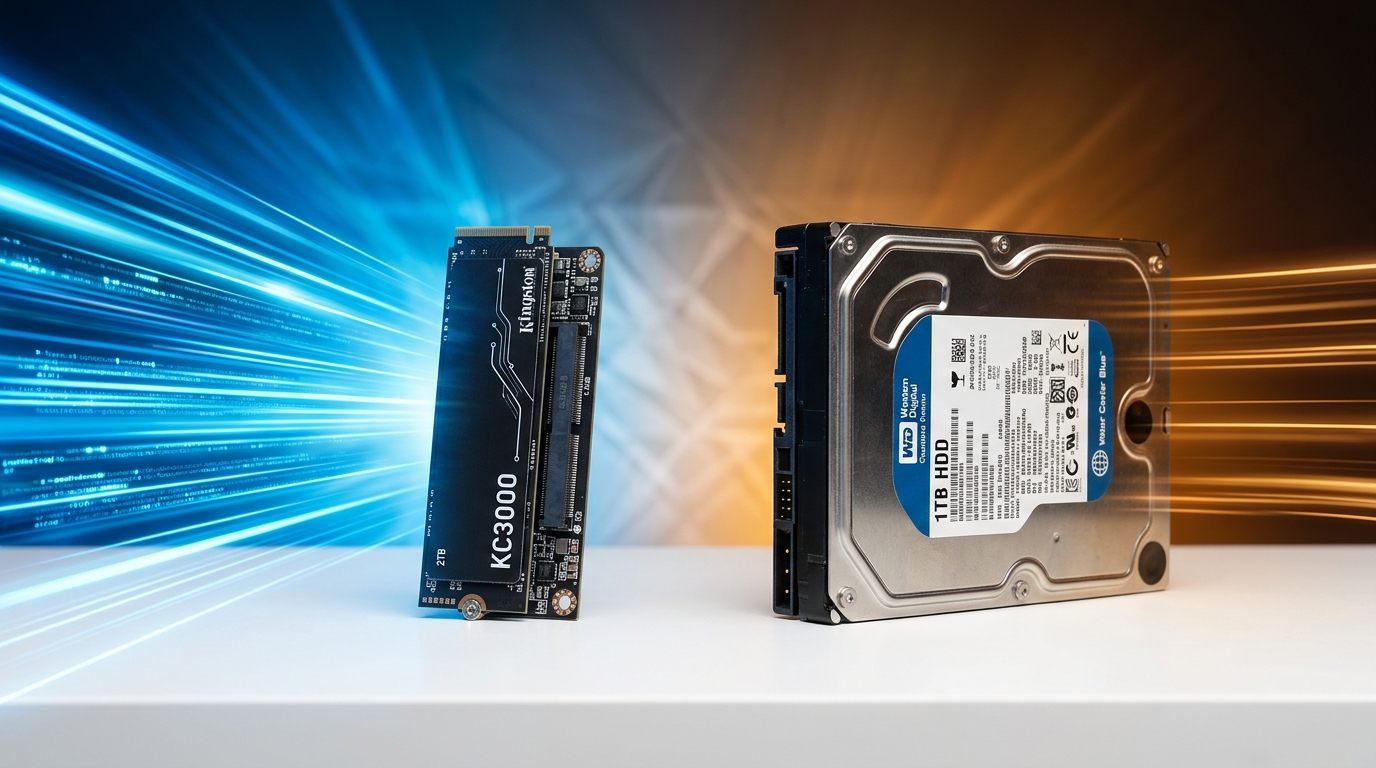 I have been gaming on PC for over a decade, and storage decisions used to feel pretty simple. Buy the biggest hard drive you can afford, install everything on it, and call it done. Then SSDs started dropping in price and that whole calculus changed. Now every time I help someone build or upgrade a rig, the same question comes up: should I just put everything on an SSD, or does an HDD still earn a spot in a gaming setup in 2026?
The answer is both, if your budget allows. But the reasoning behind that matters a lot, and there are real situations where one clearly beats the other. Let me walk through what I have actually learned from setting up and testing several different configurations over the years.
Why Drive Type Matters More Than Ever in 2026
Modern AAA games are enormous, and the problem is getting worse every year. Back in 2015, a 50 GB install felt massive. Today, titles routinely demand 150 GB. Cyberpunk 2077 with its expansions, Microsoft Flight Simulator 2024, and Call of Duty: Warzone all casually eat over 120 GB. When you multiply that across a library of active games, you are looking at 1 to 2 TB just for the titles you play regularly.
The gap in load times is staggering, but the bigger issue in 2026 is game engine architecture. Unreal Engine 5 games (like Black Myth: Wukong, Silent Hill 2, and Cyberpunk with Phantom Liberty) now list an SSD as a mandatory minimum requirement. They rely on Nanite virtualized geometry and continuous asset streaming; on an HDD, you don't just get longer load screens—you experience violent 0.1% low micro-stutters and missing invisible ground textures because the mechanical head cannot stream high-res assets in real time.
In Cyberpunk 2077, an NVMe loads Night City in 7–8 seconds; an HDD takes 51 seconds and drops frames whenever you drive through dense districts. In competitive shooters like Warzone, loading from an HDD means your character spawns in after the countdown timer has already finished and enemies have grabbed floor loot.
What DirectStorage Does — and What It Requires
Microsoft's DirectStorage API fundamentally changes how games load. Previously, every asset pulled from storage passed through the CPU, decompressed in system RAM, and then uploaded to the GPU. That is a massive bottleneck for massive open-world games.
DirectStorage bypasses the CPU almost entirely. Compressed assets move directly from the NVMe SSD to the GPU, where dedicated hardware handles the decompression. In games that support this, load times drop from ten seconds down to two seconds. But here is the catch: DirectStorage absolutely requires an NVMe SSD to work properly. A SATA SSD sees barely any gain, and an HDD is entirely incompatible with the tech. If you play modern games, you need an NVMe drive.
Price Per Terabyte: Where the Market Stands
This is where HDDs still make their strongest argument. In 2026, mechanical hard drives are still significantly cheaper per terabyte.
You can buy a 4 TB 7200 RPM hard drive for about $65. A 2 TB budget SATA SSD will run you around $80. But a fast 2 TB NVMe drive like the WD Black SN850X costs around $120, and a flagship 2 TB Samsung 990 Pro is closer to $130.
To put it concretely: 4 TB of HDD storage costs $65. Getting 4 TB of NVMe storage costs well over $200. The performance difference is undeniable, but the cost difference is massive. For bulk storage, video archives, or a backlog of games you rarely touch, an HDD remains the rational choice purely on cost grounds.
Library Management Strategy: Active vs Archived
Because modern games are huge and fast storage is expensive, you need a strategy. I use a three-tier system.
Tier 1 is the Active SSD. This is a 1 or 2 TB NVMe drive strictly for games currently in rotation. If I play it this week, it lives here.
Tier 2 is the Archive HDD. This is a massive 4 TB mechanical drive for installed but benched games. They launch slower, but since I rarely play them, it doesn't matter. If I want to play one again, Steam lets me move the install folder from the HDD to the NVMe in two clicks.
Tier 3 is the uninstalled backlog. If I haven't touched it in six months, I delete it. Re-downloading it later is easy enough.
This hybrid configuration gives you the speed of NVMe for daily use and the massive capacity of HDD for everything else, without destroying your wallet.
When HDD Still Makes Complete Sense
Not every storage use case requires blistering speed. HDDs are perfect for network attached storage (NAS) devices running 24/7. They are excellent for recording gameplay via OBS, sparing your expensive SSD from unnecessary write cycles. They are perfect for living room PCs used primarily for media playback or lightweight indie games. And for long-term archival storage of photos, projects, and videos, 8 TB hard drives are incredibly cheap and unbeatable.
Best Drives for Gaming in 2026
For your active NVMe tier, the Samsung 990 Pro is the benchmark leader, offering incredible random read performance for DirectStorage. However, the WD Black SN850X is my personal daily driver; it matches Samsung in real-world load times and usually costs slightly less. If you are on a strict budget, the WD Blue SN580 or TeamGroup MP44L delivers genuine PCIe 4.0 speeds with dependable TLC flash, avoiding the severe performance drops of QLC component swapping.
For the archive HDD tier, the Seagate Barracuda 4TB (7200 RPM) is fast, reliable, and cheap. I have run these drives as secondary storage in multiple builds for years without a single failure. The WD Blue 4TB is slightly quieter, but make sure you grab the CMR version, as the SMR variants have notoriously slow write speeds for large file transfers.
Hybrid Setup Tips
If you go the hybrid route, always install the NVMe SSD in the primary M.2 slot closest to the CPU to get maximum bandwidth. Install Windows entirely on the NVMe with the HDD unplugged so the bootloader doesn't get confused. Once Windows is running, plug the HDD in, format it in Disk Management, and add it as a secondary Steam library.
Windows lives on the fastest drive you own, period. Games tolerate secondary drives perfectly well, but an operating system running on a mechanical hard drive in 2026 is an exercise in pure misery. Keep your active games fast and archive the rest.
Related Guides
← Back to home