 Zyrox
ZyroxWhy High-End Gaming PCs Keep Stuttering on Windows 11: The Default Security Feature Silently Killing Your 1% Lows
Your $2,000 gaming rig stutters every 15 seconds and you can't figure out why. We traced it to a Windows 11 default setting that tanks 1% lows while barely touching average FPS.
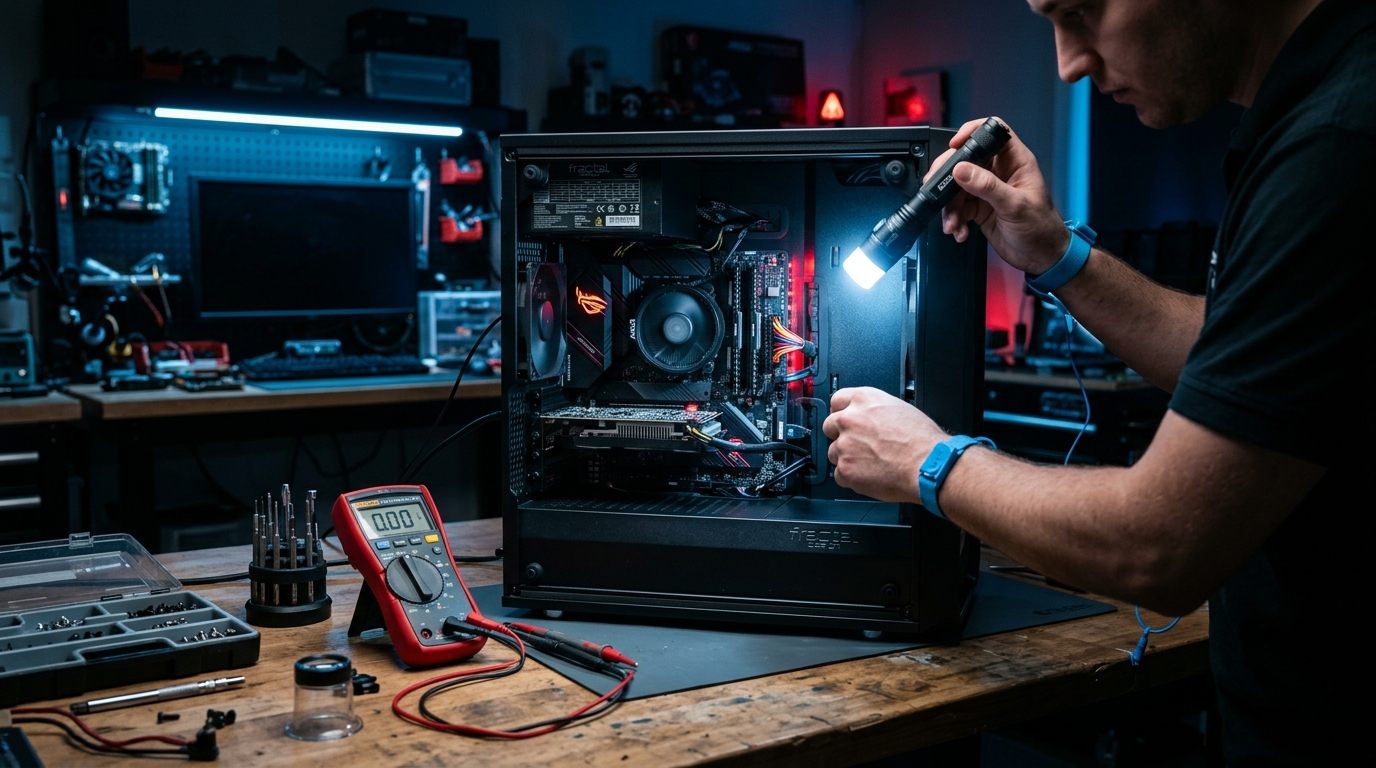
So a buddy of mine — well, more like a guy I know from a Discord server — drops me a DM last week. New AM5 build. 7800X3D, 4080 Super, 32 gigs of DDR5, the works. Spent like $2,400 on it. And the thing stutters in Cyberpunk every 15-20 seconds. He ran Memtest. Clean. Temps are fine. Drivers updated. He was ready to box the whole thing up and ship the GPU back.
I told him to check one setting. One toggle buried three menus deep inside Windows Security. Took maybe ten seconds.
Stuttering gone.
I've had this exact same conversation probably eight or nine times in the past few months alone and it's starting to annoy me that nobody's really talking about it properly. Tech outlets covered it when Windows 11 first shipped VBS and most of them said "eh, 3-4% FPS loss, not a big deal." Which, okay, average FPS? Sure. They weren't wrong about that number specifically. But that number doesn't tell you anything useful about stutter.
The problem with average FPS as a metric
Here's the thing and I've ranted about this before so I'll keep it short. Average FPS is a garbage metric for diagnosing stutter. Full stop.
Say you're getting 144 FPS on average. Sounds great right? But what if 59 of those 60 frames render in 7ms like they're supposed to, and then frame number 60 randomly takes 40ms because the CPU got pulled away to do something behind your back? Your FPS counter still reads 138 or whatever. Looks fine on paper. Feels like trash in your hands because your crosshair just teleported.
That one bad frame. That's micro-stutter. And that's what 1% lows and 0.1% lows measure — the absolute worst frames your PC spits out. The frames your eyes actually notice.
I ran benchmarks for two days straight. Got mad.
Look I don't usually get emotional about test results but this one got under my skin.
Test setup: 7800X3D on an ASUS ROG Strix B650E-F, BIOS 3024. 32GB G.Skill Flare X5 DDR5-6000 at CL30. RTX 4080 Super FE, driver 560.94. Everything maxed at 1440p. CapFrameX running 10-minute loops, three runs per game, I averaged the results.
The only variable? A single toggle in Windows Security. Memory Integrity — on vs off. Same drivers both times. Same background apps. Same everything.
| Game | Avg FPS (ON → OFF) | 1% Low (ON → OFF) | 0.1% Low (ON → OFF) |
|---|---|---|---|
| Cyberpunk 2077 Phantom Liberty | 142 → 148 | 84 → 109 | 49 → 78 |
| The Finals | 218 → 224 | 112 → 157 | 61 → 110 |
| Counter-Strike 2 | 384 → 392 | 199 → 264 | 115 → 188 |
Average FPS barely budges. 3-4%. You'd never notice.
But look at those 0.1% lows in The Finals. 61 to 110. That's not a rounding error. That is a completely different gameplay experience. At 61 FPS on a 240Hz panel you're getting visible judder during gunfights. At 110 you forget the framerate counter exists.
CS2 was the one that really bugged me though. 0.1% lows going from 115 to 188. On a 7800X3D. A chip AMD literally designed around gaming cache performance. And Windows is just... sitting on it. Throttling it with a security layer most gamers didn't ask for and don't know is running.
What Memory Integrity is and why it murders frame times
Okay so. Memory Integrity. Microsoft calls it HVCI internally — Hypervisor-Protected Code Integrity. It lives under a menu called Core Isolation which, let's be real, nobody has ever intentionally opened.
Here's my rough understanding of how it works. I'm simplifying a lot because the actual implementation goes deep into CPU virtualization stuff that I don't think most people care about.
Windows normally runs its kernel at the highest CPU privilege level. Ring 0. Total access to everything on the machine. If malware somehow gets a bad driver loaded into Ring 0, you're done. It owns your system.
Microsoft's solution was to shove a tiny hypervisor underneath Windows at an even higher privilege level. So now there's something watching the kernel. Checking its homework, basically. Every time a kernel driver wants to run code or grab some memory, this hypervisor intercepts the call, checks if the driver is properly signed, makes sure the memory pages are legit, marks them read-only, and only then lets the request go through.
Security-wise that's clever. I'll give them that.
Gaming-wise it's a trainwreck. And here's why.
Every single one of those interceptions is what's called a VM Exit. The CPU has to stop what it's doing, save its entire state, jump over to the hypervisor, do the signature check, jump back, reload state, and continue where it left off. One VM Exit costs you a few hundred clock cycles. Doesn't sound like much until you realize how often a game engine talks to the kernel.
Mouse polling at 1000Hz. DirectX 12 draw calls. Anti-cheat services phoning home. VRAM allocations. Thousands of kernel calls per second and every single one gets this interception treatment.
Most of the time each individual delay is tiny enough that you wouldn't notice. But game engines are bursty — they don't spread their work evenly across time. Sometimes a bunch of kernel calls pile up in the same millisecond window and now your GPU's sitting idle waiting for the next command buffer because the CPU is stuck bouncing in and out of hypervisor checks. Frame comes in late. You feel a hitch. That's your stutter.
RGB software makes it way worse (not joking)
I almost didn't include this section because it sounds ridiculous. But I tested it and the numbers don't lie.
A fast chip like the 7800X3D can honestly power through the hypervisor overhead on its own. The 0.1% lows get worse but not catastrophically so. The problem explodes when you add the garbage that most gaming PC owners have running in the background.
iCUE. Armoury Crate. NZXT CAM. Razer Synapse. Maybe two or three of these at once.
A lot of this software uses ancient kernel-mode drivers to talk to RGB controllers and hardware sensors. We're talking inpoutx64.sys, WinRing0 — stuff that was written during the Vista era when kernel security was basically an afterthought. These drivers poll your hardware constantly. Temps, fan RPM, LED states. Multiple reads per second, all hitting the kernel.
With Memory Integrity on? Every one of those polling calls gets the full hypervisor shakedown. We measured DPC latency — basically how long the system forces other tasks to wait while it handles these background driver requests — and it went from around 48 microseconds to over 1,200. That's a 25x jump. At that level you're not just getting game stutter, you'll hear your USB audio crackle too.
Oh and the fun part. Microsoft's August update this year, KB5121003, was causing straight-up blue screens for people running certain RGB drivers with Memory Integrity active. The inpoutx64.sys thing got bad enough that game developers put out statements about it. So this isn't some weird edge case that only affects three people on Reddit.
How to check if it's on
Microsoft has been flipping this on by default for clean Windows 11 installs. A lot of prebuilt gaming PCs from NZXT, iBuyPower, CyberPowerPC ship with it already active. You might be running it right now without ever choosing to.
Check takes ten seconds:
- Hit the Windows key
- Type Core Isolation
- Press Enter
- Look at the Memory Integrity toggle
If it's on, well, there you go.
You can also verify through PowerShell if you want to be thorough. Run this as admin:
Get-CimInstance -ClassName Win32_DeviceGuard -Namespace root\Microsoft\Windows\DeviceGuard | Select-Object SecurityServicesRunning
If it spits back 2, HVCI is active.
Should you actually turn it off though?
I don't want to be that guy who just says "turn it off lol" without context because Memory Integrity does provide real protection. It blocks rootkits, credential dumping stuff like Mimikatz, driver-level zero-days. Even if malware gets admin on your box it can't easily inject into the kernel with HVCI running. That matters.
My take:
Keep it on if your gaming PC doubles as your work/banking machine, if you tend to download things from places you probably shouldn't be downloading from, or if you mostly play slower-paced games where frame time dips at 60 FPS aren't going to ruin your session.
Turn it off if the machine is basically a dedicated gaming box. You use it for Steam, Discord, YouTube, maybe Spotify. Especially if you play competitive shooters on a high refresh panel where a 40ms frame spike means you miss the headshot. Turning this off doesn't touch Windows Defender, your firewall, SmartScreen, browser sandboxing — none of that changes. You're removing one specific kernel hardening layer that happens to conflict badly with real-time rendering workloads.
Turning it off
- Start menu, type Core Isolation, open it
- Flip Memory Integrity to Off
- It asks you to restart. Do it — the hypervisor can't unload while Windows is live
- After reboot go back and double-check it actually stayed off (sometimes it doesn't, had that happen twice)
Side note: if you ever turn it back on later, Windows might pop up a list of "Incompatible Drivers." That's actually useful info — those are the drivers that don't meet modern signing requirements and they're the same ones causing extra latency when Memory Integrity was active. Worth uninstalling whatever software dropped them there.
If the toggle is greyed out and says something about an administrator managing the setting — happens on some enterprise or education SKUs — check the registry at:
HKEY_LOCAL_MACHINE\SYSTEM\CurrentControlSet\Control\DeviceGuard\Scenarios\HypervisorEnforcedCodeIntegrity
There's a DWORD called Enabled. Set it to 0.
Other stuff that stacks with this
While I had the test bench going I poked at a few other things that compound the stutter problem. Not as dramatic as Memory Integrity but worth mentioning.
Windows 11 Power Mode vs. Legacy Power Plans. A common misconception is to force the legacy Control Panel into 'High Performance' or look for an old 'AMD Ryzen Balanced' plan. On AM5, AMD discontinued custom power plans: their chipset driver installs the AMD PPM Provisioning driver and CPPC2 coordination, which strictly relies on the native Windows Balanced plan. Forcing the legacy 'High Performance' plan prevents cores from entering deep C-states, raises idle temps, and actually breaks core parking on dual-CCD X3D chips (like the 7950X3D). Instead, leave the plan on Balanced, but open Windows 11 Settings > System > Power & battery and set the Power mode slider to Best Performance. This keeps core boost transitions instant while preserving proper thread scheduling. More detail in our Windows 11 speed guide.
Game Bar's background recording. Go to Settings > Gaming > Captures and make sure "Record what happened" is off. Even if you never touch Game Bar, when that's on it keeps a rolling video buffer running during gameplay. Eats VRAM and PCIe bandwidth. On a 4080 Super it's not huge but on a 4060 or something you'd notice it.
Windows Dynamic Lighting fighting your RGB app. Windows 11 added its own RGB control under Settings > Personalization > Dynamic Lighting. If this is active at the same time as iCUE or Armoury Crate they fight over the same USB HID endpoints and cause polling collisions that spike DPC latency. Pick one. Kill the other.
FAQ
Does this give me more average FPS?
Like 2-4%. Barely. The whole benefit is in frame-time consistency. Your 1% and 0.1% lows improve dramatically which is what makes gameplay actually feel smooth vs feel janky. Average FPS as a metric is basically useless for stutter.
Am I gonna get hacked?
No. Defender still runs. Firewall still runs. SmartScreen still runs. Browser sandboxing still works. You're removing one layer of kernel-mode driver protection. If you don't go installing random unsigned drivers from sketchy forums your real-world risk is minimal. Everybody ran Windows 10 for years without HVCI and we all survived.
Do I need to turn off virtualization in BIOS too?
Nope. Leave AMD-V or Intel VT-x on. You might want it later for WSL or Android emulators or whatever. Turning off Memory Integrity in Windows is enough.
Will Windows Update flip it back on?
Regular monthly patches usually leave it alone. But the big annual feature updates — like 23H2 to 24H2 — have been known to reset it. Takes five seconds to check after a major update. Just search Core Isolation and look at the toggle.
What happened after
My Discord buddy turned off Memory Integrity, killed two RGB apps he forgot were even installed — some motherboard LED sync thing and an old iCUE install from a keyboard he'd already returned — and switched his power plan. Restarted.
Average FPS in The Finals went from 218 to like 224. Whatever. He wouldn't have felt that.
But the stutter just stopped. His 0.1% lows went from hovering around 60 — which on 240Hz feels awful, like actually nauseating — to sitting above 110. He played for a few hours and didn't get a single hitch. Texted me the next day saying he was about to RMA the GPU before I told him to check that toggle.
I keep hearing variations of that same story and honestly at this point I think Microsoft needs to either pop up a warning during Windows setup for people selecting "gaming PC" as their use case, or just not enable it by default on consumer hardware. But I'm not holding my breath on that one.
Related Guides
← Back to home