 Zyrox
ZyroxWhy Upgrading Storage Alone Does Not Make Everything Faster
Find out why an SSD upgrade alone won't fix every PC slowdown. Learn how CPU, RAM, and GPU bottlenecks limit real-world performance gains.
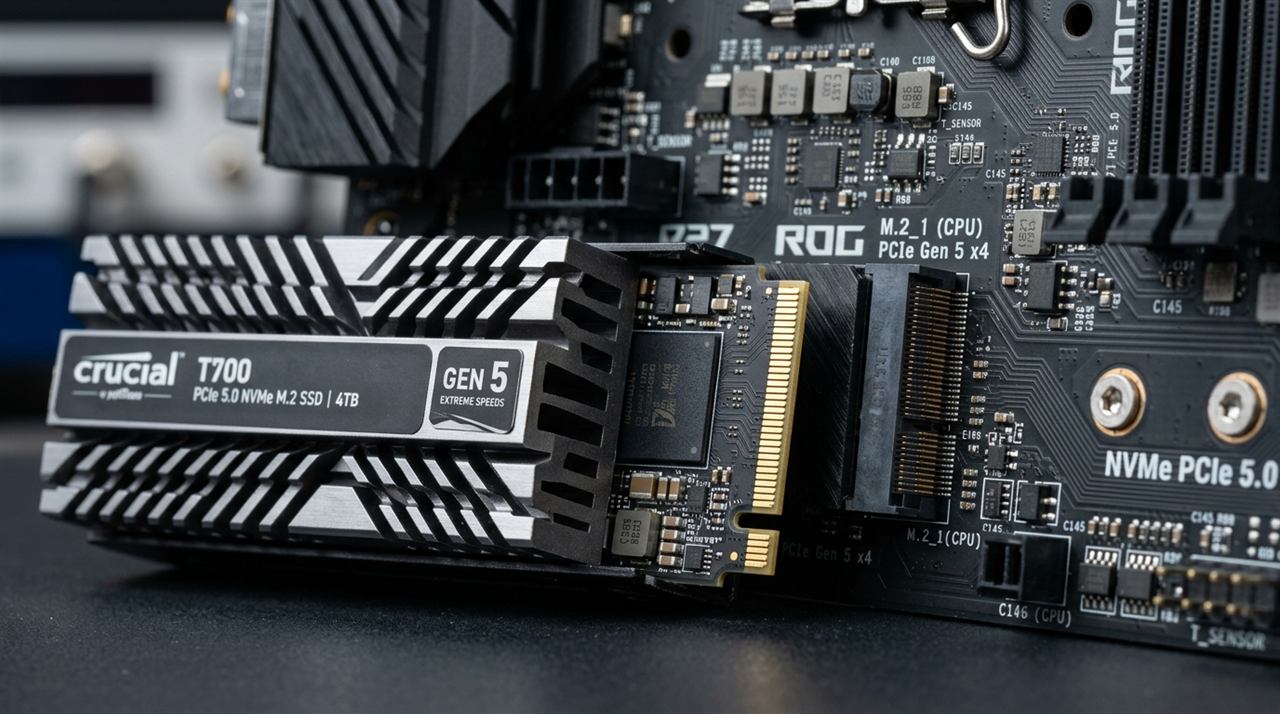 A few years ago, I helped a friend upgrade his older desktop. It was one of those machines where everything felt like wading through mud. Booting took two full minutes, Chrome hesitated on every click, and he started leaving the PC on constantly just to avoid the agonizing startup. I told him to buy an SSD. We cloned his drive onto a 1TB Samsung 870 EVO, and suddenly it felt like a supercomputer. It booted in twelve seconds. Apps popped open instantly. He was thrilled.
Six months later, he called me, completely frustrated. He bought a new game and the performance was terrible. It was choppy, stuttering, and basically unplayable. His theory? The SSD wasn't fast enough. Maybe he needed to throw more money at an expensive NVMe drive.
It wasn't the storage. His graphics card was a GTX 1060 3GB trying to run a massive open-world game that demanded way more VRAM and rendering power than that card could offer. No storage drive on Earth can fix that. SSDs are genuinely transformative, but they only fix storage problems. They don't fix your CPU, they don't fix your GPU, and they don't magically add RAM to your system. Getting clear on what an SSD actually improves will save you a lot of money and disappointment.
What a Storage Upgrade Actually Fixes
An SSD, especially a modern NVMe drive, is dramatically faster than a spinning hard drive. The improvements you will absolutely feel are all related to loading data.
Your boot time will drop from a minute or more to under twenty seconds. Applications that load massive files on startup—like Adobe Photoshop, Microsoft Office, or Steam—will open in seconds instead of forcing you to stare at a splash screen. Transferring large files, like moving a 50GB folder of videos, drops from an eight-minute chore to a forty-second breeze.
More importantly, Windows feels incredibly responsive at idle. Old hard drives constantly thrash in the background, indexing files or running updates, which chokes the system. An SSD handles all of this background noise silently without affecting your foreground tasks. And if you play massive open-world games, moving from an HDD to an NVMe drive can cut a 45-second loading screen down to less than ten seconds.
What a Storage Upgrade Completely Ignores
This is the part that trips people up. A faster drive flat out cannot fix rendering or computational bottlenecks.
Once a game's assets are loaded into memory, storage speed has essentially zero effect on your average frame rate. The graphics card is doing the rendering work. If you are getting 40 frames per second in Cyberpunk 2077 because your GPU is pegged at 100%, buying the fastest NVMe drive on the market will not increase your average frame rate by a single frame. (Crucial nuance: moving from an HDD to an NVMe SSD dramatically stabilizes frame pacing and eliminates 1% low stutter during real-time asset streaming in titles like Spider-Man or Alan Wake 2, but it cannot lift the architectural rendering ceiling of a weak GPU.)
The same applies to video editing. When you export a 4K timeline in Premiere Pro, the bottleneck is your CPU or GPU encoding the video. Writing the final file to disk is so easy that even a basic SATA SSD can keep up effortlessly. An SSD gets the data into your RAM quickly; after that, it sits idle while the processor does the actual heavy lifting.
The Bottleneck Shift
Every task in your PC has a weakest link. It could be storage, the CPU, the RAM, or the graphics card. A faster drive only helps if storage is currently that weakest link.
When you finally swap a mechanical hard drive for an NVMe SSD, the storage bottleneck vanishes. But immediately, the next weakest component becomes obvious. If your system only has 16GB of RAM and you edit heavy video, you'll still feel sluggish when the RAM fills up. If you have an old CPU, complex spreadsheets will still take forever to calculate.
The right question is never "what should I upgrade next?" The right question is "what is actually causing my system to be slow right now?"
How to Find Your Actual Bottleneck
Before you spend a dime, open Task Manager. It tells you more about your system than any benchmark.
If you look at the Performance tab and your Disk usage is constantly hitting 100 percent while you are just browsing the web, storage is your bottleneck. An SSD will change your life.
If your CPU usage is pegged at 100 percent when the PC feels slow, you need a new processor. If your Memory is completely full, and the "Committed" memory exceeds your physical RAM, Windows is actively paging to your storage drive. A faster SSD makes this slightly less painful, but the actual fix is buying more RAM. And if you are gaming and your GPU is sitting at 99 percent usage while your frame rate is terrible, you need a new graphics card.
SATA vs NVMe: Don't Overthink It
If you are upgrading from an old spinning hard drive, do not stress over whether you need a SATA SSD or an NVMe SSD. Just get an SSD.
The jump from an HDD to a quality SATA SSD (like a Crucial MX500 or Samsung 870 EVO) is a massive, night-and-day transformation. The jump from a SATA SSD to a blisteringly fast PCIe 4.0 NVMe drive (like a Samsung 990 Pro) is technically huge on paper, but in everyday web browsing and casual gaming, it is honestly hard to feel the difference. NVMe matters if you are moving massive 100GB video files daily or playing games with DirectStorage. For everyone else, any reliable TLC SSD will solve your storage bottleneck instantly.
Related Guides
← Back to home